Graphite Alternatives for PR Review And Code Quality In 2026

Taran Srivastava
Senior Product Manager
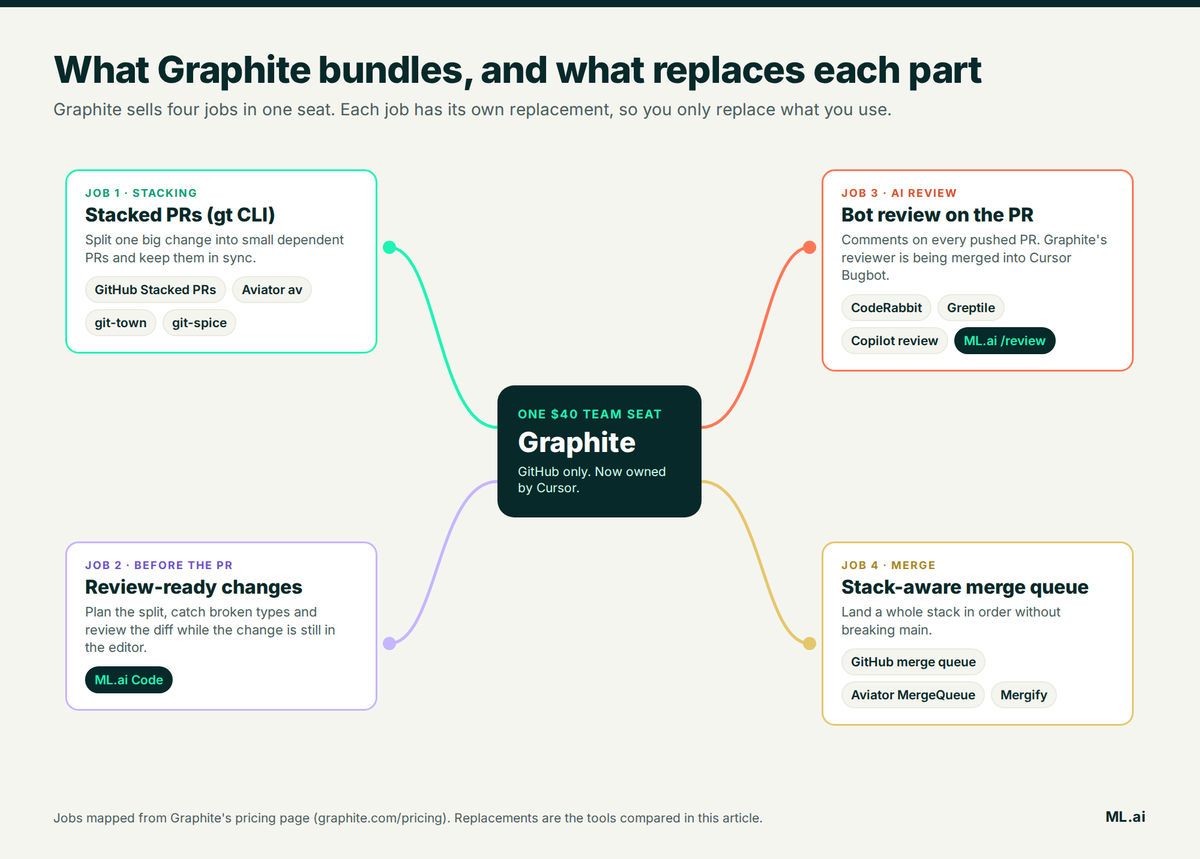
The right Graphite alternative depends on which part of Graphite you actually use. For stacked PRs alone, GitHub now ships them natively. For stacking plus a merge queue, Aviator is the closest swap. For AI review on any Git host, CodeRabbit or Greptile. And if your real problem is agent-written PRs arriving too big to review, ML.ai Code fixes that earlier, in the editor, before the PR exists.
Below: what changed at Graphite, what developers say about it, and six tools compared on the job each one replaces.
Why do teams look for Graphite alternatives?
Three things moved in the last ten months: Graphite became a Cursor product, GitHub released stacking of its own, and AI coding agents made the average pull request much larger. Each one hits a different part of what Graphite sells.
What Graphite still does well
Start with the part that is hard to replace. Graphite's gt CLI keeps a stack of dependent pull requests in sync when the bottom one is squash-merged, which plain Git and most open-source tools handle badly. One developer put it plainly in the Hacker News thread on the Cursor deal: "Graphite solves the problem of how to keep your stack of GitHub pull requests in sync while you squash merge the lowest pull request in the stack" (Phlogistique, Hacker News).
Its AI reviewer is also quiet. The independent Martian Code Review Bench found "Graphite has the highest precision and lowest recall in both benchmarks." When it comments, it is usually right. The catch is in the second half of that sentence, covered below.
The Cursor acquisition changed the roadmap question
On 19 December 2025, Graphite announced it would join Cursor. The post says "Graphite's product and brand aren't going anywhere," and in the same breath commits to "combining Graphite's AI Reviewer and Cursor's Bugbot." For a team that bought Graphite as a neutral layer on GitHub, its reviewer now shares a roadmap with one specific editor company.
We read all 251 comments in the Hacker News thread on the deal. 14 of them raise concerns about Graphite's future, and 15 talk about replacing it or switching away. The worry came mostly from people who bought Graphite for stacking, not for AI. This user asked directly whether the CLI would survive:

Another long-time user called it "the final nail in the original product's coffin" and named two free replacements:

A Graphite co-founder replied in the same thread that "Graphite isn't going anywhere" (fosterfriends). That may hold. The open question for buyers is where the engineering time goes, since the stated plan folds the reviewer into Bugbot.
GitHub now ships stacked PRs for free
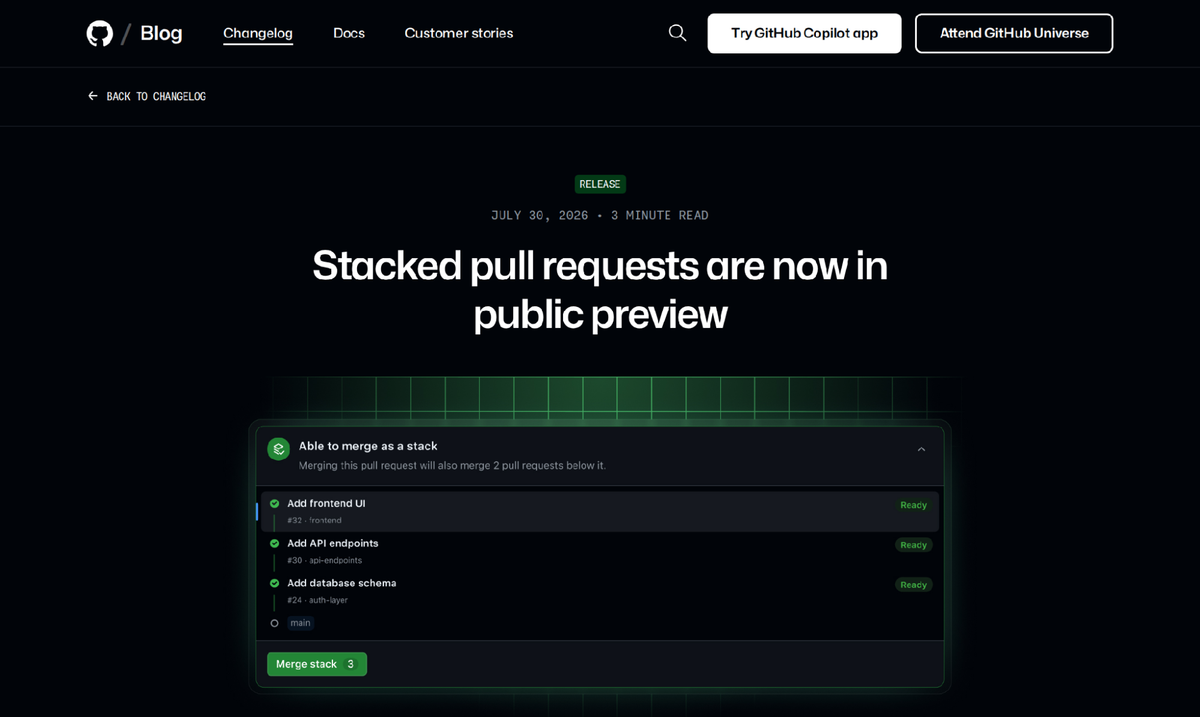
The original reason to pay for Graphite was that GitHub had no concept of a stack. That changed on 30 July 2026, when GitHub put stacked pull requests into public preview for all repositories, with a gh stack CLI and native merge queue support. The changelog below is where GitHub confirms the rollout:
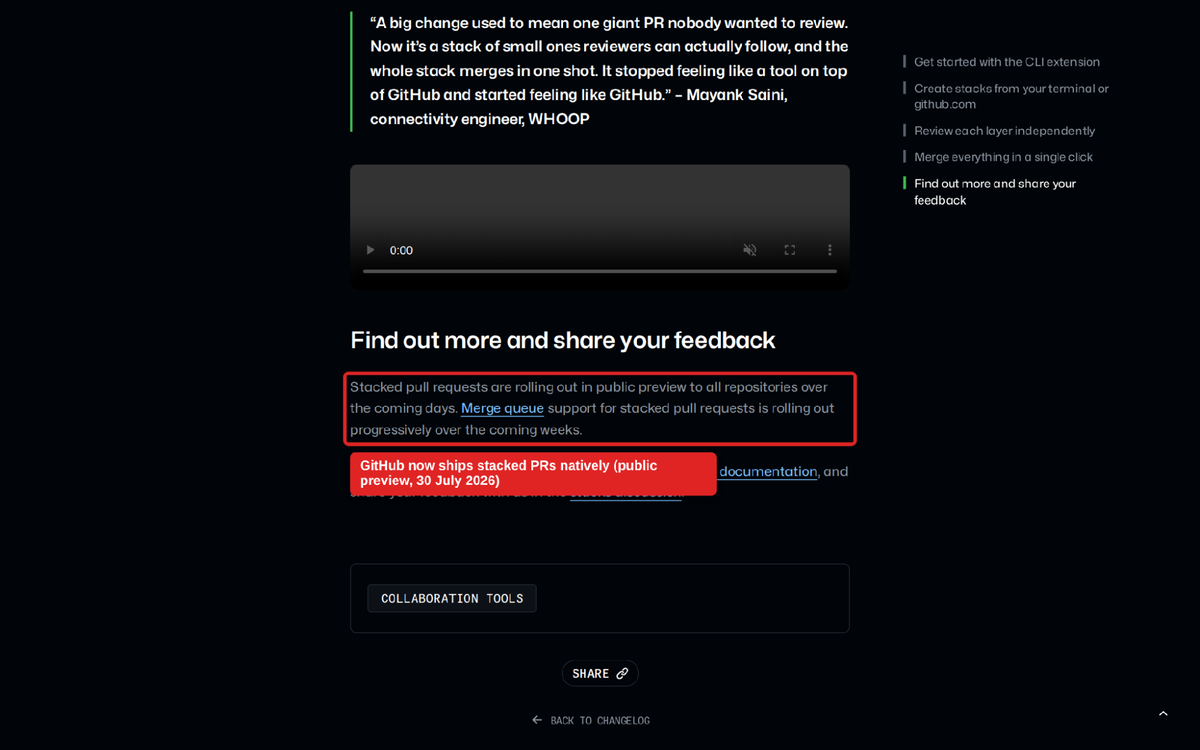
It is still a preview, and it has rough edges (see the GitHub entry below). But a team that only used gt for stacking now has to justify a per-seat bill against a free default.
The AI features sit behind the $40 Team seat
Graphite's pricing page has four tiers. Hobby is free but limited to personal repos with "Limited AI Reviews." Starter is $20 per user per month (billed annually) and opens up organization repos, with AI reviews still limited. Unlimited AI review and the merge queue start at Team, $40 per user per month billed annually. GitHub Enterprise Server support, SAML and audit logs are Enterprise only.
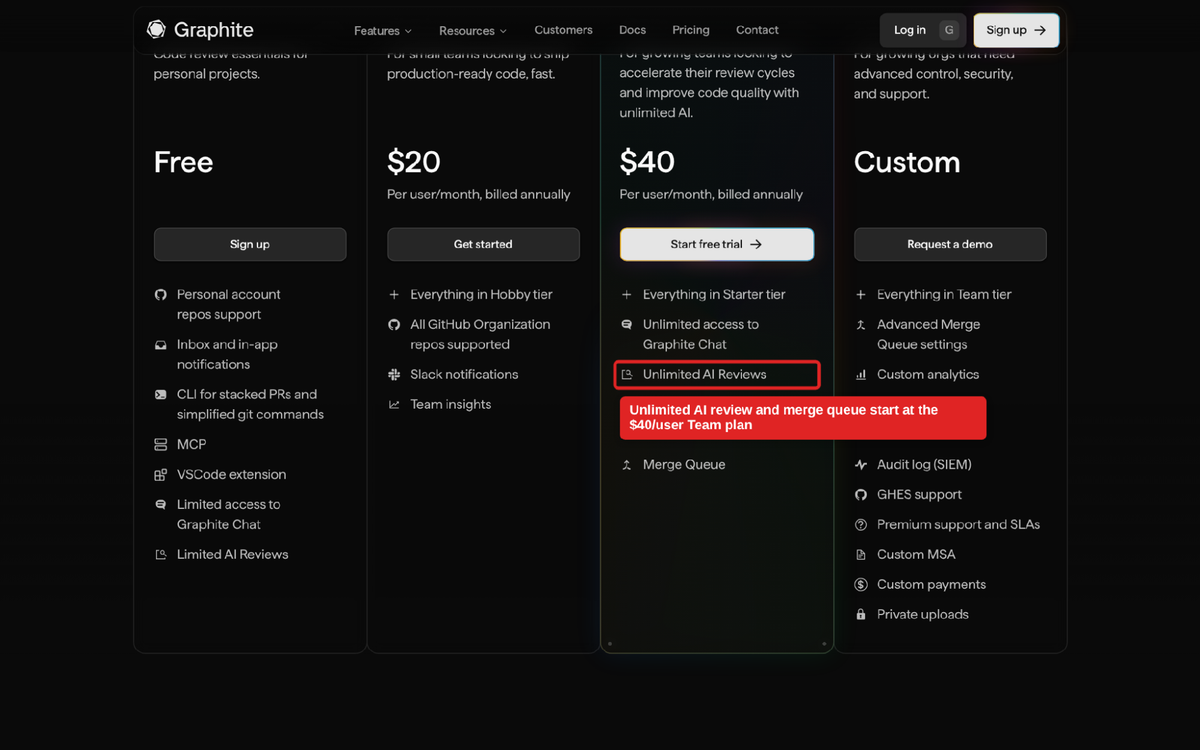
For a 30-engineer team, Team works out to $14,400 a year. That is fine if all four jobs get used. It is expensive if two of them do.
A quiet reviewer can also be a reviewer that misses bugs
Back to the Martian result. High precision with the lowest recall means Graphite's reviewer flags fewer things, and also catches fewer of the known bugs. The same benchmark found "no tool found more than 63% of the known issues," so no bot review is a safety net on its own. Teams that switched to Graphite for low noise sometimes leave it for coverage.
It only works on GitHub
Graphite is built on top of GitHub, and GitHub Enterprise Server support is an Enterprise-plan feature. Teams on GitLab, Bitbucket or Azure DevOps cannot use it at all, which is often the first reason a platform team rules it out.
The bigger shift: AI agents made PRs too big to review
This is the part most comparison pages skip. Faros AI's 2026 engineering report, covering about 22,000 developers, found that on high-AI-adoption teams average PR size rose 51.3%, median time to first review rose 156.6%, and median time in review rose 441.5%.
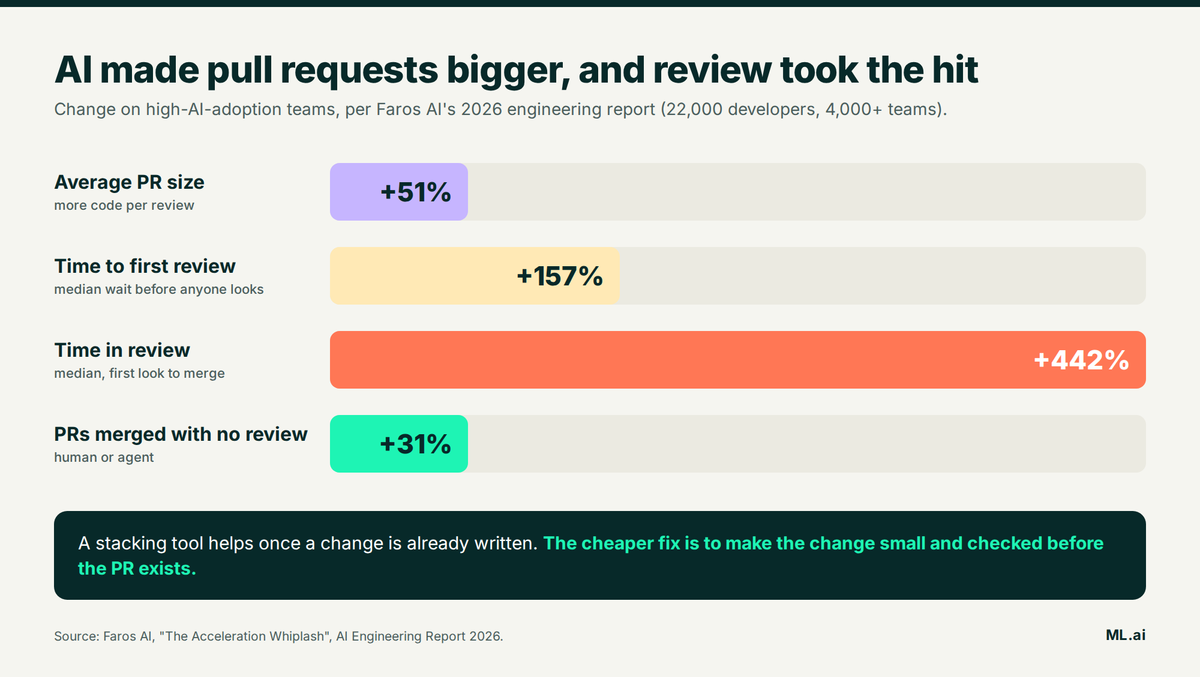
Small changes are what make review fast. Google's study of nine million code reviews found a median change of 24 lines, with first feedback in under an hour for small changes and about five hours for very large ones. Stacking tools split big changes after they are written. The cheaper move is to plan the split and check the code before anything is pushed. That is the gap the first tool below is built for.
Best Graphite alternatives compared
Six tools, each matched to the Graphite job it replaces. Prices are list prices from each vendor's pricing page as of October 2026; check before you commit.
| Tool | Replaces which Graphite job | Works with | Pricing | Best when |
|---|---|---|---|---|
| ML.ai Code | Review-ready changes before the PR, plus /review | VS Code and Cursor; any Git host | Early access | Agents write most of your code |
| GitHub Stacked PRs + Copilot review | Stacking, AI review, merge queue | GitHub only | Stacking: no price listed. Copilot from $10/mo | You only used gt for stacking |
| Aviator | Stacking and merge queue | GitHub only | Free CLI; Team $20/dev/mo | You need a stack-aware merge queue |
| CodeRabbit | AI review | GitHub, GitLab, Bitbucket, Azure DevOps | $24 to $48/dev/mo annual | You want AI review on any Git host |
| Greptile | AI review with full-codebase context | GitHub, GitLab, Bitbucket | Free tier; Pro $30/seat/mo | Bugs hide in cross-file effects |
| git-town | Stacking | GitHub, GitLab, Bitbucket, Gitea, Forgejo | Free, open source | No budget, comfortable in the terminal |
1. ML.ai Code
Best for: teams whose pull requests are now written by AI agents and arrive too big to review.
ML.ai Code is an AI coding agent that runs inside Visual Studio Code. It reads your repository, plans changes, applies them with your permission, runs commands and checks the result. The engine ships inside the extension, so setup is one package and one access token. Work is routed to one of two tiers, ML.ai Standard or ML.ai High, so routine steps do not run on the most expensive model.
Graphite works on a change after it has been written and pushed. ML.ai Code works on it while it is being written, which is where a review problem is cheapest to fix. Here is how each part maps to what Graphite does.
It plans the stack before any code exists. Type @ to hand a task to the Architect agent: it reads the code and returns the order of work, the files involved and the trade-offs. The Plan agent does the same and writes the finished plan to a markdown file you review and approve. Plan mode is enforced at the tool layer, so the edit and write tools are switched off. That plan is your stack: each step becomes one small PR instead of one 2,000-line diff.
Every edit is reviewed as it lands. Edits and writes open a native VS Code diff before you are asked to approve them. Allow permits that one change, Always saves a rule, Deny stops that path. Nothing reaches the PR that a person has not already looked at once.
Broken code gets caught in the editor, before CI or a review bot sees it. After the agent changes a file, ML.ai Code asks your editor's own language servers what broke and passes the answer to the model. It waits for analysis to settle, so it never reads an empty result and reports a clean file. A type error fixed here costs one targeted edit. The same error found by a PR bot costs a push, a CI run and a review round.
Review runs in the editor too. The /review command now ships, and you can ask for a custom review agent in plain language, for example "Create a subagent that reviews pull requests for security issues." ML.ai composes the agent definition for that request, and after an engine restart it appears in the @ menu next to the built-in agents.
It checks blast radius without touching anything. The Explore agent is read-only: "Find every caller of the function this change touches" is a review question you can answer before asking a teammate to look.
Stack-friendly history and safe Git. The bundled commit skill writes a Conventional Commits message from the current diff, which keeps a stack readable for reviewers. The command safety check classifies every shell command by effect, including history rewrites, and refuses a fixed set of actions no setting can permit, such as sudo or git status && rm -rf ~. Agents that restack branches need exactly that guardrail.
A workflow that replaces the Graphite habit:
Reviewers then get small, already-checked PRs, which is the outcome teams bought Graphite for.
Limitation: ML.ai Code does not host stacks or run a merge queue, so pair it with GitHub Stacked PRs or Aviator for those. Per the docs, the extension needs VS Code 1.125.0 or newer (or a compatible Cursor release) on macOS Apple Silicon or Windows x64.
If your reviews are slow because the PRs are big, the fix belongs before the PR. Get early access to ML.ai Code and run your next ticket through Architect, diagnostics and /review before it reaches a reviewer. For the wider field of agents, see our comparison of the best AI coding agents.
2. GitHub Stacked PRs and Copilot code review
Best for: teams that only used Graphite for stacking and want to drop a vendor.
GitHub's own stacking covers the original Graphite job inside the review screen your team already uses. Install it with gh extension install github/gh-stack. Each PR targets the branch below it, reviewers see a stack map, and stacks fully support merge queues, adding every PR in order. If you manage branches with Jujutsu, Sapling or git-town, gh stack link opens them as a stack.
Three limits to know. Stacks must live in one repository, so cross-fork stacks are not supported. The merge queue on private repos requires GitHub Enterprise Cloud. And Copilot code review now has two meters: GitHub estimates $0.05 to $1 of AI credits per review on "Lite" effort and $0.25 to $5 on "Balanced," and since 1 June 2026 reviews on private repos also consume Actions minutes.
The preview still shows. One early user reported that "merging an entire stack is completely broken in many cases" when squash merging with required reviews (matharmin, Hacker News). Test it on one repo before you cancel anything.
3. Aviator
Best for: GitHub teams that need stacking and a stack-aware merge queue from one vendor.
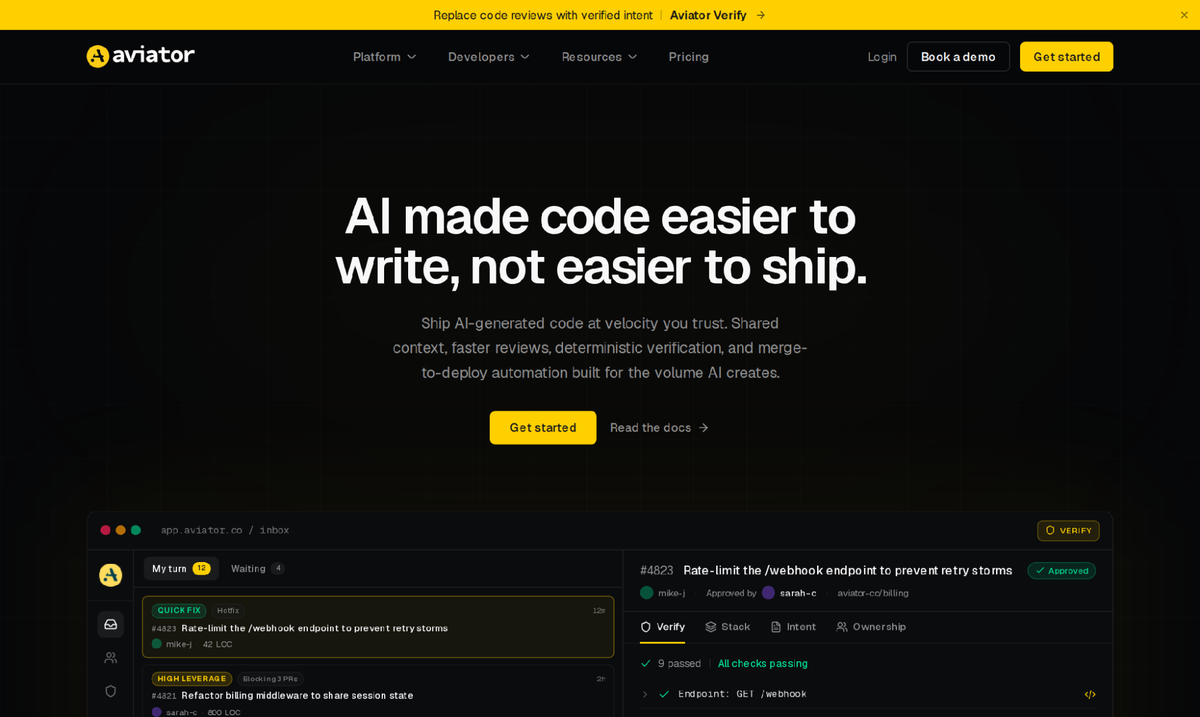
Aviator is the closest like-for-like swap. Its `av` CLI for stacked PRs is MIT-licensed and free. MergeQueue adds parallel queues, batching and flaky-test handling. Pricing runs from a free plan to Team at $20 per developer per month (up to 10 repositories) and Scale at $50, with self-hosting on Enterprise.
The strongest public number in this category is on Aviator's homepage, from Notion's Head of Developer Experience: "we've cut time-to-merge for p50 of all PRs by 40%." Aviator is GitHub only, and its AI product, Verify, checks a change against its stated intent instead of commenting line by line. If you want classic line-level AI review, add a reviewer from the next two entries.
4. CodeRabbit
Best for: AI review on GitLab, Bitbucket or Azure DevOps, or across several Git hosts.
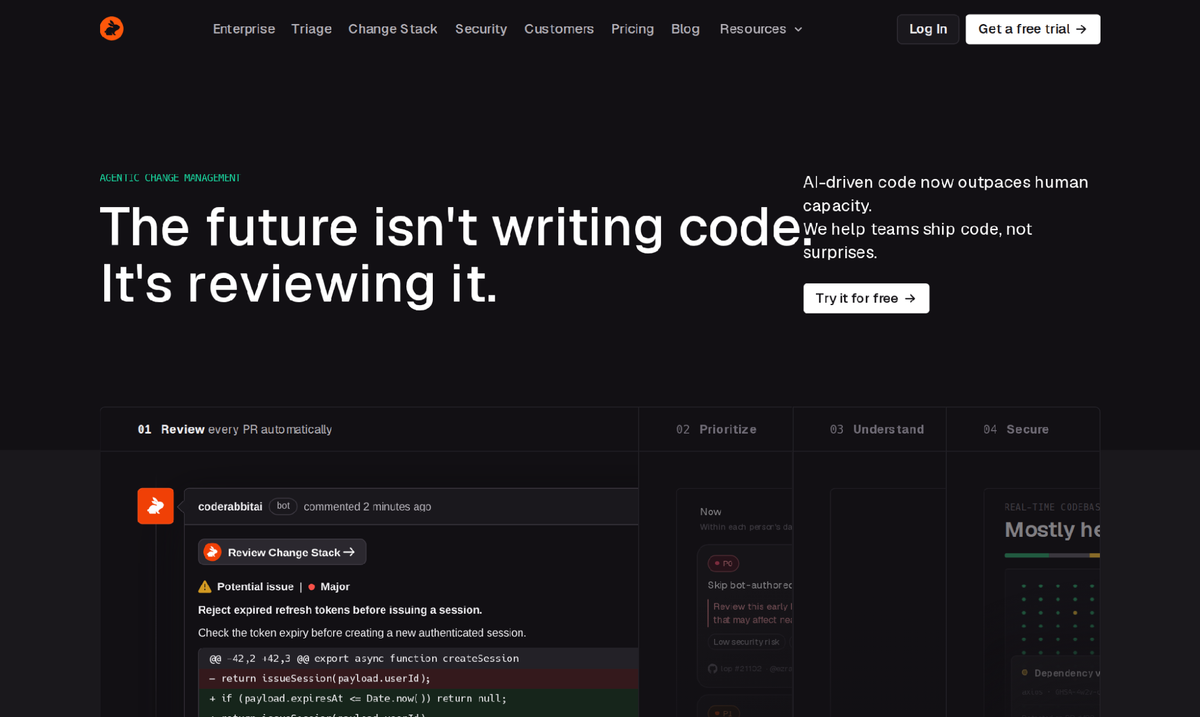
CodeRabbit replaces Graphite's AI reviewer and goes wider: it supports GitHub, GitLab, Azure DevOps and Bitbucket, learns team preferences from chat replies, and is configured through a .coderabbit.yaml file. Pricing is $24 per developer per month on Essentials and $48 on Team, billed annually, and you are only charged for developers who create pull requests. Public repos are free.
Its trivago case study gives a useful baseline: developers accepted 43.4% of 1,620 review comments. The common complaint is the flip side of Graphite's: volume. One user wrote that it "calls things 'critical' that arent and flags issues that dont actually exist" (andrekandre, Hacker News). Budget a week for tuning the config.
5. Greptile
Best for: codebases where bugs come from how changes ripple across files.
Greptile builds a graph of your whole codebase so its review can see how a change affects code outside the diff. Pricing starts with a free plan (50 credits a month for one developer), then Pro at $30 per seat per month with 50 credits per seat and extra credits at $1. A base review costs 1 credit and the deepest "Apex" review costs 10. Enterprise adds self-hosting. It supports GitHub, GitLab and Bitbucket.
Brex says "Greptile reviews 100% of the code we write" in its customer story. Opinions vary by codebase: one Hacker News user called it "pretty much pure noise" (sebra). Run it on a month of real PRs before rolling it out.
6. git-town
Best for: teams with no tooling budget who are comfortable in the terminal.
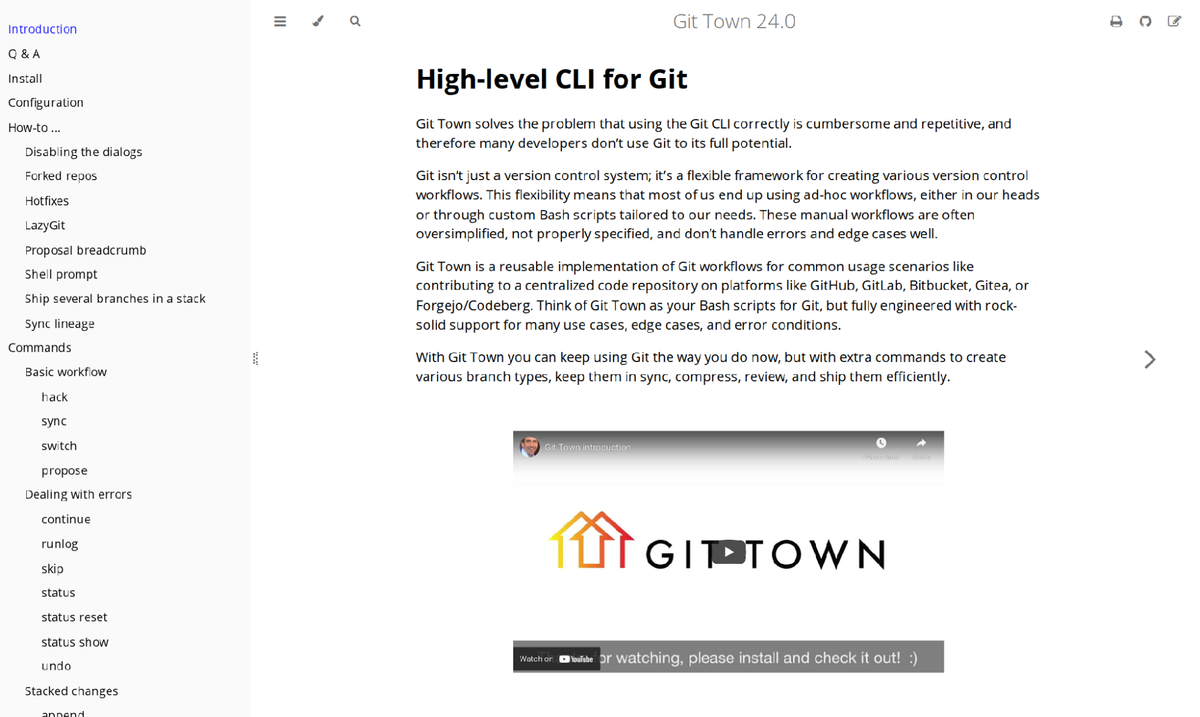
git-town is a free, open-source Git extension with "first-class support for stacked changes." It syncs, ships and re-parents branches across GitHub, GitLab, Bitbucket, Gitea and Forgejo, with Azure DevOps in experimental support. It is actively maintained, with release 24.1.0 shipped in September 2026.
It has no hosted review screen, but on GitHub you can run gh stack link to show git-town branches as a native stack. Developers leaving Graphite also name git-spice for the same job: "it's been working pretty well and it's open source and free" (chucknthem, Hacker News).
Which Graphite alternative fits your team
There is no single winner, because Graphite bundles four jobs and few teams depend on all four equally. Find yours below.
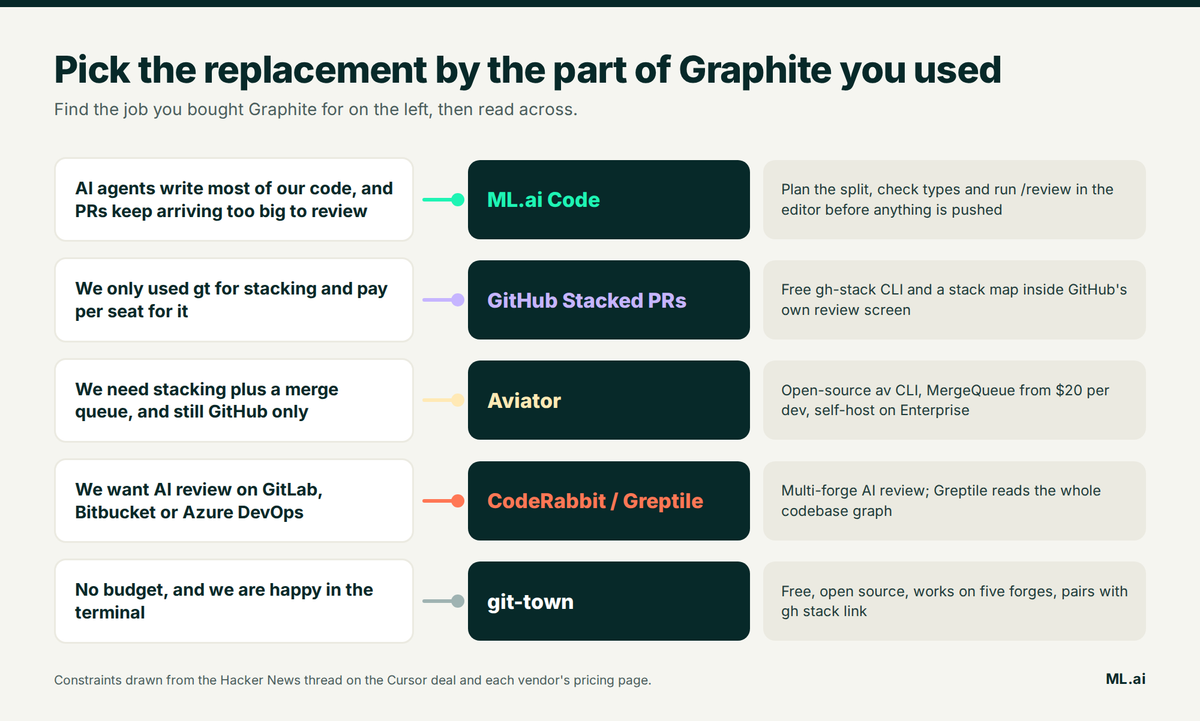
If agent-written PRs are the bottleneck, fix the change before it becomes a PR. If you only needed stacking, GitHub's free version is probably enough. Stacking plus a merge queue points to Aviator. Multi-host AI review points to CodeRabbit or Greptile.
How to move off Graphite without losing a sprint
What to do this week
You now know which of Graphite's four jobs you are paying for, what GitHub gives you free, and which tool replaces each of the rest. Start small: pull last month's merged PRs and note the median size and time in review. If the PRs are big, a new review bot will only comment on more lines. Plan the split and check the code in the editor, then push small PRs. Get early access to ML.ai Code and run that ticket through Architect, diagnostics, and /review before it reaches your reviewers.
Frequently Asked Questions
Is Graphite shutting down after the Cursor acquisition?
No. Graphite says its "product and brand aren't going anywhere," and it still sells all four plans. The stated plan is to combine Graphite's AI reviewer with Cursor's Bugbot, so expect the review product to change more than the stacking CLI. See the announcement.
Does GitHub support stacked pull requests natively?
Yes. Stacked pull requests entered public preview for all repositories on 30 July 2026, with the gh-stack CLI, a stack map in the PR view and merge queue support. Stacks must stay within one repository. Details are in the GitHub changelog.
What is the best free Graphite alternative?
For stacking, GitHub Stacked PRs (no price listed while in preview), git-town and git-spice are all free. Aviator's av CLI is also free and open source. For AI review, CodeRabbit is free on public repos and Greptile has a one-developer free plan.
Does Graphite work with GitLab or Bitbucket?
No. Graphite is built on GitHub, and GitHub Enterprise Server support is limited to its Enterprise plan. For GitLab, Bitbucket or Azure DevOps, CodeRabbit covers AI review and git-town covers stacking.
Can ML.ai Code replace Graphite's AI reviewer?
It covers the review that happens before a push. Its /review command, custom review agents, editor diagnostics and diff-before-approval checks clear a change in VS Code. It does not host stacks or a merge queue, so pair it with GitHub Stacked PRs or Aviator for those.
Written by
Taran Srivastava
Senior Product Manager