
October 28, 2026
How to Evaluate an AI Code Review Tool: A Buyer's Checklist
 Taran Srivastava · 17 min read
Judge an AI code review tool first by how often its comments lead to a code change on your own pull requests. In six published deployments, that act-on rate ranged from 7.2% to 65%, and human reviewers sat between 44% and 60%. Measure it in a four-week bake-off, then check catch rate on bugs you already know, repository permissions, and cost per useful comment. The rest of this checklist shows how teams at Uber, Atlassian, Google, Cloudflare, Mozilla, and Datadog ran those tests, step by step.
This blog is written for those who have to pick, pilot, or build an AI code reviewer and defend the choice with numbers.
Why choosing an AI code review tool got harder in 2026
Two years ago, an AI reviewer was a nice extra. Today it sits in front of most of the code your team merges, because most of that code is written with AI.
More AI-written code means review is now the bottleneck
In Sonar's January 2026 survey of more than 1,100 developers, AI wrote 42% of committed code, 96% of developers said they do not fully trust that AI code is functionally correct, and only 48% always check it before committing. BairesDev's Q3 2026 Dev Barometer found 42% of developers now say AI writes at least half their code, up from 12% a year earlier.
That gap between code written and code verified is the job an AI code review tool is hired to close. It also explains the flood of new tools, and why a noisy one gets muted by developers within weeks.
Know what human review is for before you automate it
Google's study of 9 million code changes found that engineers used review mainly to keep code understandable and to share knowledge. Only 2 survey respondents named finding bugs as the main goal, and the median change was 24 lines.
So a good AI reviewer should take the work humans do badly at volume (spotting bugs, security slips, leftover debug code, docs that no longer match the code) and leave design and knowledge sharing to people. In an AI Engineer conference talk, Tomas Reimers described how his team classified 10,000 review comments by two questions: can an LLM catch this, and does a developer want an LLM to say it? Bugs, performance, and security landed in the "yes and yes" box. Comments like "add tests" or "extract this into a function" were catchable but unwanted, and developers tolerated those from colleagues far more than from a bot.
The one metric that predicts whether your team keeps the tool
An AI code review tool can post 30 comments per pull request and still be useless. Volume is easy. The number to track is the act-on rate: the share of comments that lead to a matching code change before merge.
What six real deployments measured
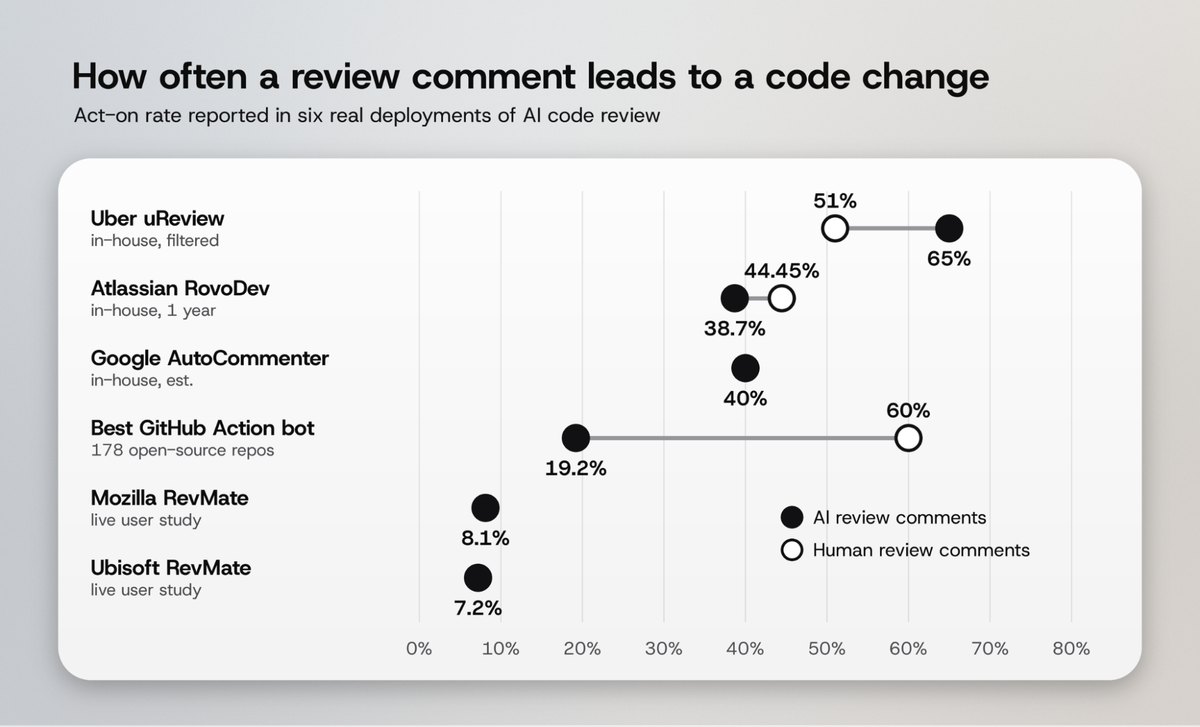
The spread is wide, and the details behind each number are where the buying lessons are.
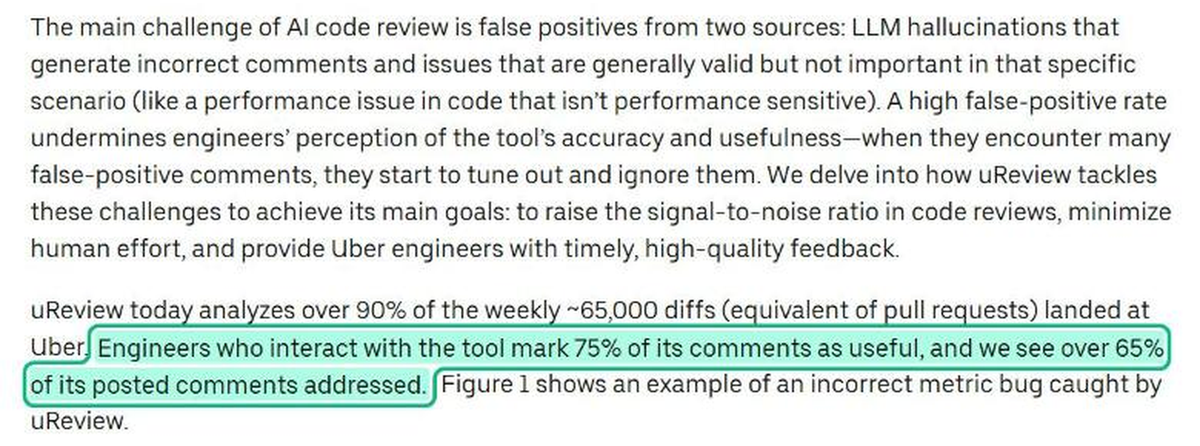
- Uber built uReview, which now reviews over 90% of about 65,000 weekly diffs. Engineers rate 75% of its comments useful, and over 65% of posted comments get addressed, against 51% for human comments.
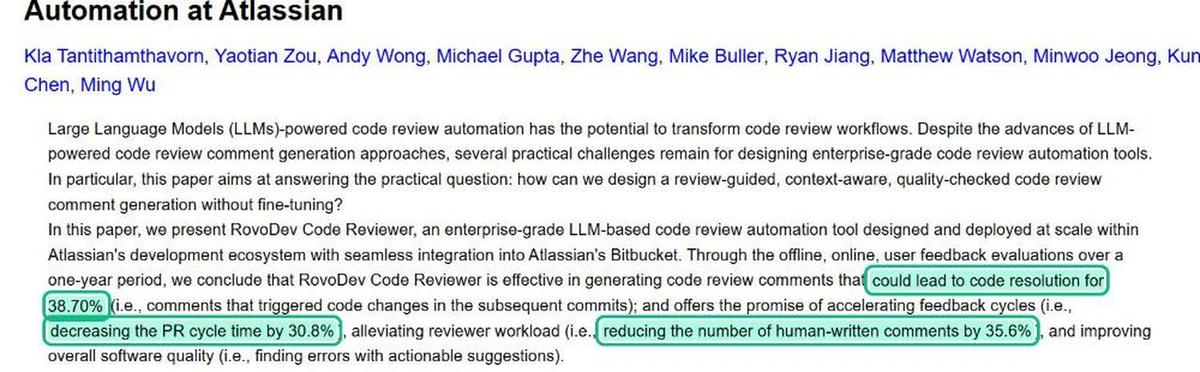
- Atlassian ran RovoDev Code Reviewer for a year across roughly 2,000 repositories. 38.7% of its comments triggered code changes in later commits, against 44.45% for human comments, and PR cycle time fell 30.8%.
- Google's AutoCommenter reached an estimated 40% resolution rate after a staged rollout from dogfooding to an A/B test on about half its developers.
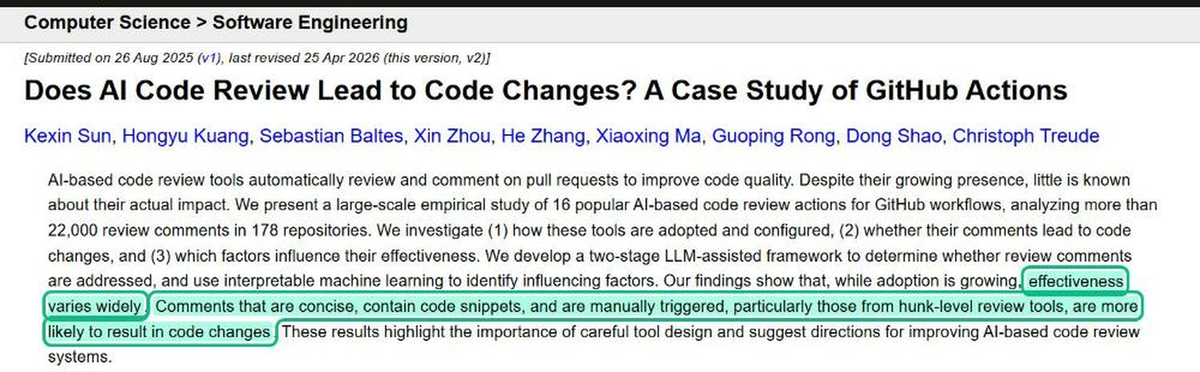
- Open-source GitHub Actions did far worse. A study of 16 AI review actions across 178 repositories and 22,000+ comments found addressed rates from 0.9% to 19.2%, against 60% for human comments in the same repositories.
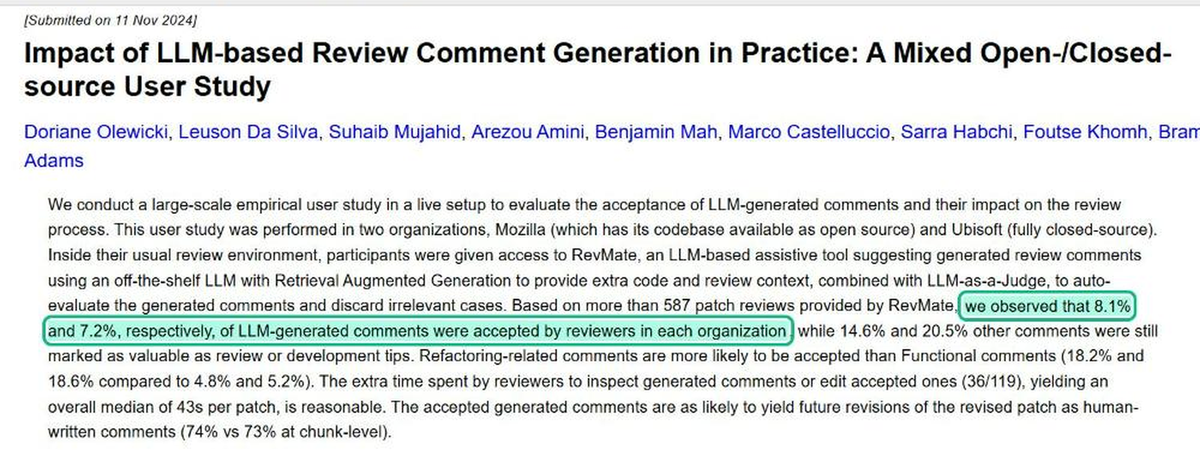
- Mozilla and Ubisoft tested RevMate with 59 reviewers on 587 patch reviews. Reviewers accepted 8.1% and 7.2% of generated comments, even with an LLM judge discarding weak ones first.
What the high scorers have in common
Lining up the six deployments side by side, a pattern appears. The three systems that reached 38% or higher (Uber, Google, Atlassian) were all tuned to their own codebase, and all three describe a stage that checks or filters comments before anyone sees them.
Uber splits review into four stages (comment generation, filtering, validation and deduplication) and suppresses low-confidence comments. Google raised its "useful" rating from 54% to 66% by suppressing 17 rules developers kept rejecting, then reached its 80% target after 5 more. Atlassian describes its reviewer as quality-checked by design. Most of the low-scoring GitHub Actions posted whatever the model produced.
The buying lesson: ask every vendor how comments are filtered before they are posted, and ask to see their act-on rate on a codebase like yours. A tool near 40% performs like a careful human reviewer. A tool under 10% is producing work for your team.
What pushes act-on rate up or down
The GitHub Actions study found four factors worth testing in any pilot:
- Comments that point at a specific hunk did better (6.5% to 19.2%) than file-level comments (0.9% to 4.2%).
- Comments with more code than prose were addressed up to 23.2% of the time, against 4.2% for prose-only comments.
- Newer authors (30 or fewer prior commits) acted on 16.1% of comments. Authors with over 1,000 commits acted on 3.3%.
- 82.6% of mature repositories customized the tool's configuration, most often its prompt context.
The seniority gap changes how you pilot. If you trial a tool only with your most senior engineers, it will look worse than it will perform for the team as a whole. Pilot with a mix.
How to measure catch rate on bugs you already know about?
Act-on rate tells you if developers trust the comments. It does not tell you what the tool misses. For that, test it on bugs where you already know the answer.
Replay the pull requests behind real incidents
Datadog built an incident replay test. It rebuilt pull requests that had contributed to past incidents, ran an AI reviewer on each one, and asked the original incident owners whether the feedback would have prevented the problem. The reviewer flagged issues in more than 10 incidents, about 22% of those examined, according to OpenAI's published case study with Datadog.
You can run a smaller version in a week. Pick 20 to 30 merged pull requests that later needed a bug fix, rewind a branch to the state before the fix, and open each one as a fresh pull request in a sandbox repository. A finding counts only if it points at the line that later changed.
Make sure the test cannot leak the answer
Microsoft's Waldek Mastykarz found an evaluation passing questions the agent should not have been able to answer: it located a local checkout of the source and read the answer there.
His point applies directly to review replays. If the fix commit, the issue thread or a later branch is reachable from the sandbox, your catch rate is inflated. Use a clean repository that contains only the rewound history.
Read published benchmarks with four questions
Vendor benchmarks are a starting point. A study by Signal65, commissioned by one of the vendors it tested, replayed 60 historical bug-introducing pull requests across six open-source repositories. Precision ranged from 64% to 96% across five tools, and the tool that found the most true issues also produced 30 incorrect findings. Which tool "won" depended on the metric chosen.
Before trusting any benchmark, ask:
- Were the pull requests real production changes or a synthetic codebase?
- Did every tool run at default settings under the same conditions?
- Is the dataset and scoring method public, so you can reproduce it?
- Does it report precision and recall, or just "issues found"?
A four-week bake-off you can run on any AI code review tool
The teams with the strongest results all tested on their own code, with their own reviewers, before rolling out. Here is that process compressed into four weeks.
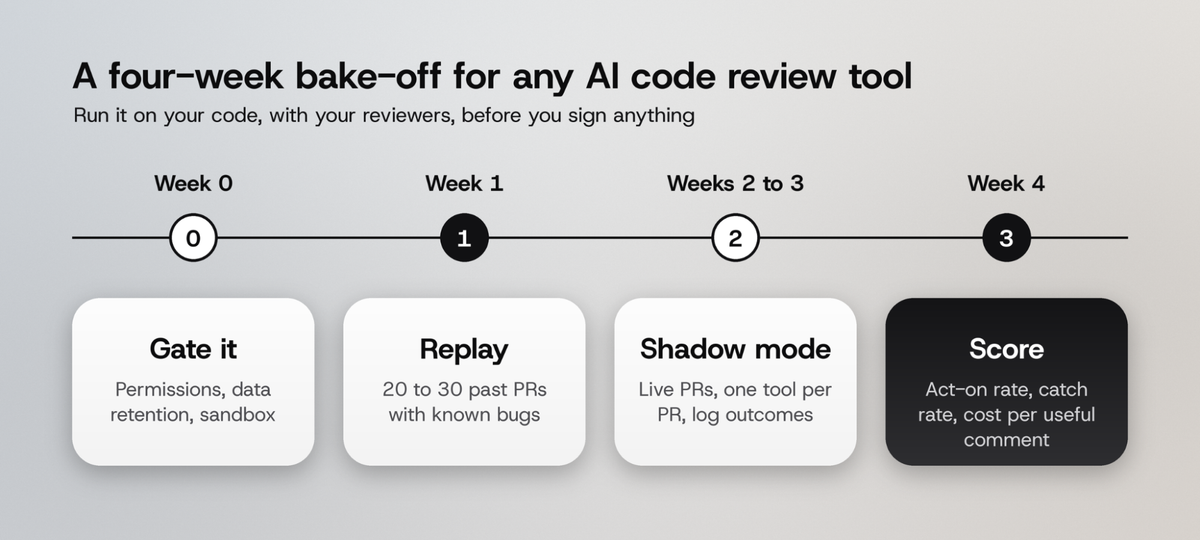
Week 0: gate it on security and permissions
Review tools need read access to your code and often write access to post comments. In 2025, Kudelski Security showed that a crafted pull request could achieve remote code execution inside one popular AI review service and gain write access to about 1 million repositories (Kudelski Security). Before any trial, list the exact GitHub or GitLab permissions the app requests, where code is processed, how long it is retained, and whether it is used for training.
If code cannot leave your network, you have more options than you might expect. SRLabs' Karsten Nohl showed a split setup where a cloud model plans the review from file names only, a local model reviews the source on a laptop, and a cloud model writes the report. The local setup matched large cloud models on findings for two real applications, and breaking one broad prompt into small checklist tasks nearly doubled findings.
Week 1: replay known bugs
Run the replay test from the previous section on 20 to 30 pull requests. Record three numbers per tool: bugs found at the right line, incorrect findings, and total comments. This week tells you catch rate and precision before you involve the whole team.
Weeks 2 and 3: shadow mode on live pull requests
Turn the tool on for real pull requests, but keep it advisory. Three rules keep the data clean:
- One AI reviewer per pull request. Two bots on the same change confuse developers and blur attribution. Split by team, by repository, or by alternating days.
- Fix it or close it with a reason. Viktor Farcic's rule from his AI review workflow works well here: every comment either gets a fix or a written reason for closing it. That record is your act-on rate.
- Expand one team at a time. Uber rolled uReview out to one team at a time, tracking precision and false positives at each stage before widening it.
Do not lean on thumbs-up and thumbs-down buttons alone. At Google, only about 10% of AutoCommenter comments ever received explicit feedback. Measuring whether the code changed is more reliable than asking.
Week 4: score it and decide
Score each tool on the weighted scorecard below. Collectors, the collectibles grading company, used a similar end-of-trial scorecard in its AI tool evaluations: percent of the task complete, days left to production-ready, ease of use, and a willingness-to-pay poll. It ran one trial per problem area at a time, and extended trials from 1 to 2 months to 6 months or more because ramp-up took longer than expected.
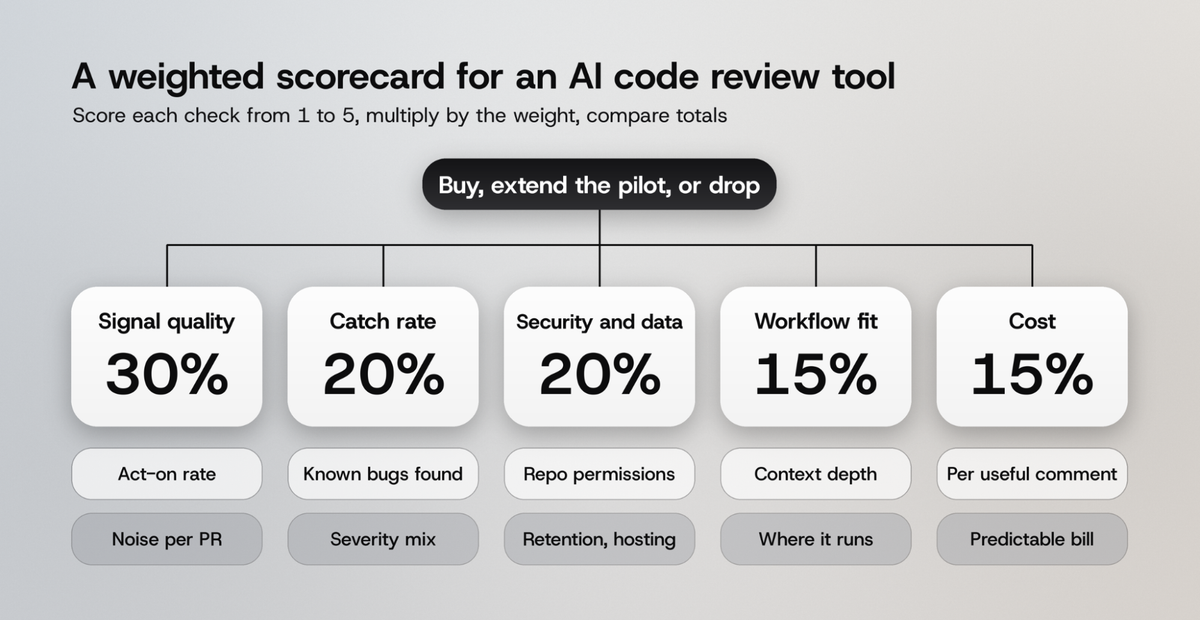
The weights are our recommendation for a team where developer trust is the main risk. A regulated team should move weight from workflow fit to security and data.
The AI code review tool checklist: 10 questions to ask before you buy?
Each question below names the capability, what you get from it, and how to test it during the pilot.
1. Does it filter its own comments before posting?
What it does: a second pass checks each comment for accuracy, relevance and duplicates before it reaches the pull request.
What you get: fewer comments, each more likely to be acted on.
This is the single biggest difference between the 65% and the 8% results above. Ask the vendor to describe the filtering stage, and check comments per pull request during shadow mode.
2. How much of the codebase can it see?
What it does: reads beyond the diff to the callers, shared utilities and related services a change touches.
What you get: catches breakage in code the pull request never edits.
Diff-only review misses the classic failure: a change to a shared helper that passes review and breaks a downstream service. Include at least one cross-file bug in your replay set to test this.
3. Can you tune it with your own rules?
What it does: lets you add project rules, change prompt context, and switch off categories your team rejects.
What you get: noise drops as you suppress what your team ignores, the way Google moved from 54% to 80% useful.
4. Are comments specific to lines and written in code?
What it does: anchors each comment to a hunk and shows the suggested change.
What you get: comments developers can apply in seconds, which the GitHub Actions study linked to much higher act-on rates.
5. Does it stand on deterministic checks?
What it does: runs linters, static analysis (SAST) and dependency scanning (SCA) under the LLM layer.
What you get: repeatable findings for known issue classes, with the model left to judge what rules cannot. On The Application Security Podcast, Jim Manico argued for exactly this layering: deterministic scanning as the base, with AI review and multiple models on top.
6. What permissions does it need, and where does your code go?
What it does: documents app scopes, processing location, retention and training use, and offers self-hosted or VPC options.
What you get: a tool your security team signs off on in week 0 instead of blocking in week 6.
7. What does one review cost, and how often does it run?
What it does: prices reviews per seat, per run or per token, and decides whether to re-review on every push.
What you get: a bill you can predict.
Cloudflare published unusually detailed numbers from its in-house reviewer: 131,246 review runs on 48,095 merge requests in 30 days, with a median cost of $0.98 per review and a P99 of $4.45 (Cloudflare).
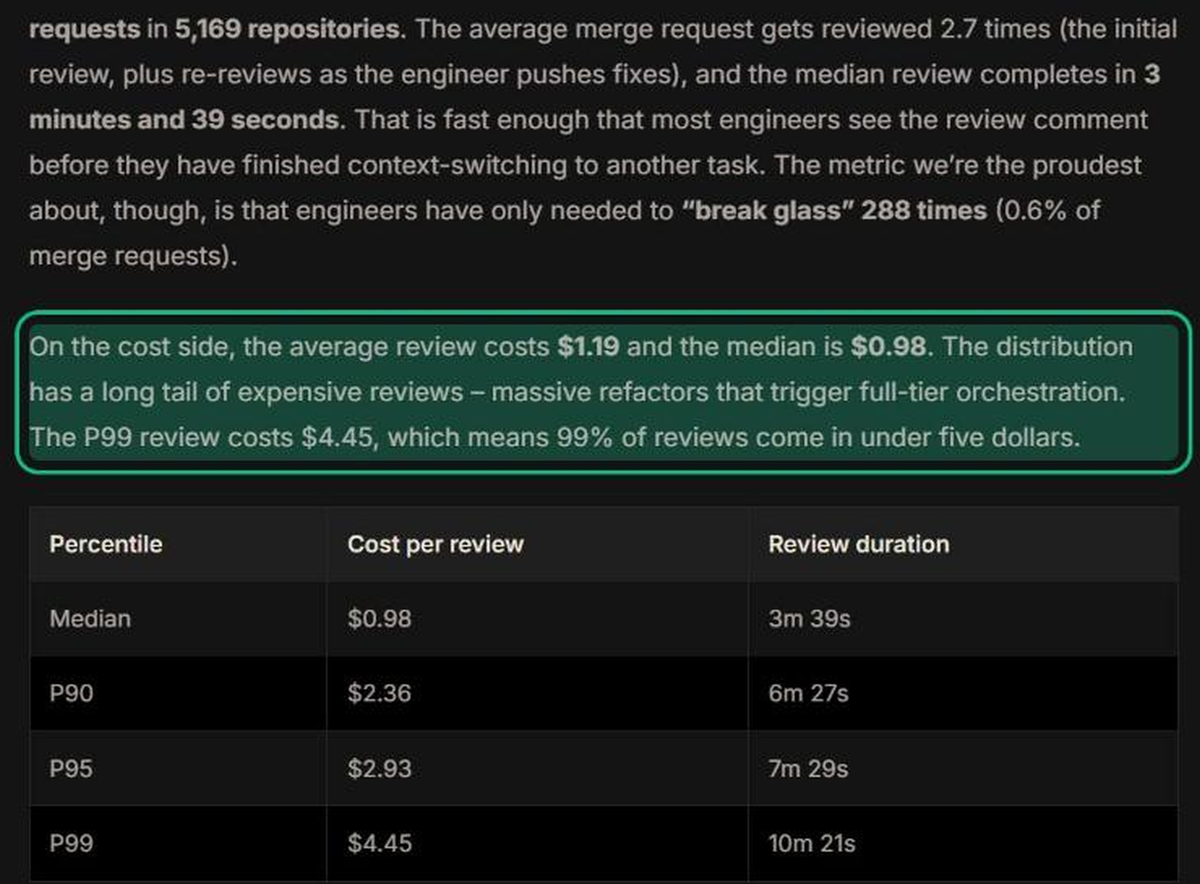
The detail buyers miss is re-runs. Cloudflare's merge requests were reviewed 2.7 times on average, so the real cost per merge request was about $3.21, more than three times the median single review.
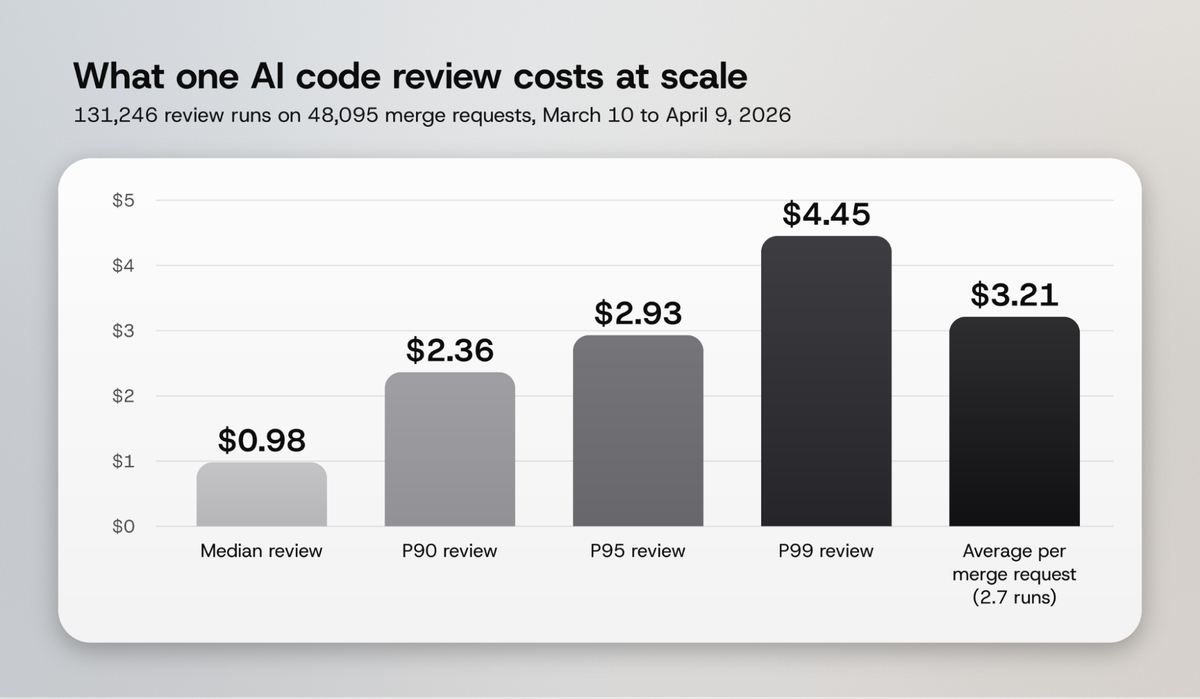
Cloudflare kept costs down by sending trivial changes to a cheaper tier, which averaged $0.20 per review. Ask every vendor whether they route by change size, and calculate cost per useful comment: total spend divided by comments that led to a fix.
8. Does it make reviews faster on your data?
What it does: shortens time to first feedback and time to merge.
What you get: a measurable change in cycle time, or proof there is none.
Published results disagree. Atlassian saw PR cycle time fall 30.8%, and Microsoft reported a 10% to 20% improvement in median PR completion time across 5,000 repositories. Google's A/B test found no statistically clear change in review duration. Measure it on your own pull requests, and expect merge time to rise in week one as real issues get caught.
9. Does it treat the author as the decision-maker?
What it does: lets authors reply, dismiss and explain, and learns from those replies.
What you get: a reviewer that improves instead of arguing. In the GitHub Actions study, 64% of a sample of 50 unaddressed AI comments drew a reply where the developer defended the change, which is useful data a good tool should learn from.
10. Who reviews the reviewer?
What it does: gives you dashboards for precision, act-on rate and false positives over time.
What you get: early warning when a model update makes comments worse. Reimers' team re-checks its metrics every time it changes the underlying model or adds context, which is a habit worth copying.
What usually works: patterns across every team in this guide
Six patterns repeat across the studies, talks, and engineering write-ups above.
- Act-on rate beats every other metric. It captures trust and value in one number, and every high-performing team tracks it.
- Filtering and tuning outperform model upgrades. The best results came from systems tuned to one codebase that drop weak comments before posting.
- Your own bugs beat any benchmark. Datadog and Uber both tested on their own history, and vendor benchmarks disagree on who wins.
- Humans stay in the loop. Every study frames AI review as a first pass. The GitHub Actions authors put it plainly: "AI code review is better framed as a complement to human review."
- Cost scales with re-runs and change size. Price a merge request, not a single review.
- Slow rollouts last. Uber and Google expanded one stage at a time with metrics at each step, and both kept their tools.
How ML.ai reduces what your AI code review tool has to catch
The cheapest review comment is the one never needed. ML.ai is an AI coding agent that runs inside VS Code, and it is built so that the change reaching your reviewer, human or AI, has already been reproduced, tested and shown to you as a diff.
What ML.ai does for developers before review starts
- A verified loop on every job. ML.ai reproduces the issue, edits the code, runs your tests and opens a pull request with a plain-language summary. Nothing merges on its own.
- A diff before every change. Edits open as a native VS Code diff, and nothing is written until you choose Allow, Always or Deny.
- Editor diagnostics in the same turn. After an edit, ML.ai reads what your language servers report and fixes the error before you or a review bot see it.
- Plan and Architect before code. Plan mode investigates with edit tools switched off, and the Architect agent returns the critical files, trade-offs and order of work for a large change.
- A read-only Explore agent to check how far a change reaches across the codebase, the cross-file blind spot that diff-only reviewers miss.
- Lower cost per reviewed change. ML.ai routes each step to the model that fits it. It reads and plans on a lighter model and spends the frontier tier on writing and checking the diff.
What ML.ai does for engineering teams and enterprises
The Team plan is $29 per seat per month, billed annually with a 5-seat minimum, and adds central usage and approval controls, SSO and an audit log. Enterprise adds self-hosted or VPC deployment, your own model endpoints, data residency and private routing, which answers the week 0 security questions before the pilot starts.
If your team builds its own reviewer the way Uber, Cloudflare and Atlassian did, the model bill grows with every push. ML.ai Inference routes each request to the model that clears your quality bar at the lowest cost, with 30% to 45% lower cost per request on typical workloads. Read how model routing works, or see our guide to the best AI coding agents.
To try it, join the ML.ai early access list and hand it a bug from your backlog. For a team pilot, talk to the ML.ai team.
Frequently Asked Questions
What is the most important metric for an AI code review tool?
Act-on rate: the share of comments that lead to a matching code change before merge. Published deployments range from 7.2% to 65%, and human reviewers score 44% to 60%, so a tool near 40% is performing like a careful human reviewer.
How long should an AI code review tool trial last?
Plan for at least four weeks: one for security review, one for replaying known bugs, and two in shadow mode on live pull requests. Collectors extended its AI tool trials to six months or more because ramp-up took longer than planned.
Can I run two AI code review tools on the same pull request to compare them?
It is better not to. Two bots on one pull request confuse authors and make it hard to tell which comment caused a fix. Split tools by team, repository or alternating days instead.
How much does AI code review cost per pull request?
Cloudflare's in-house reviewer had a median cost of $0.98 per review, but merge requests were reviewed 2.7 times on average, so the cost per merge request was about $3.21. Always price the full merge request, including re-reviews on each push.
Do AI code review tools replace human reviewers?
None of the deployments in this guide removed human review. Atlassian cut human-written comments by 35.6% and Uber saved an estimated 1,500 reviewer hours a week, but both kept people making the final call on design and merges.