
November 27, 2026
6 Best Factory AI Alternatives for Engineering Teams in 2026
 Taran Srivastava · 16 min read
The best Factory AI alternative for most engineering teams in 2026 is ML.ai, a coding agent with no token meter and no hourly limit, so a long agent run never stops at a rate-limit window. Choose Devin for a cloud agent plus editor from one vendor, Augment Code for large codebases on Harness, Amp for agents in cloud sandboxes, OpenHands for open-source self-hosting, and Warp for building your own software factory.
This blog covers why teams leave Factory, how the six options compare, and how to move your Droid setup without losing a sprint.
Why are engineering teams looking for Factory AI alternatives?
Factory is one of the fastest-growing companies in AI coding. It raised $200 million at a $5 billion valuation on September 15, 2026, up from $1.5 billion in April, and RBC and EY have rolled it out across their engineering teams.
That growth came with plan changes that land hardest on the people who use Droids the most. Before the pain points, here is what you would be giving up.
What Factory does well
Factory calls its agents Droids. A Droid is a coding agent that takes an outcome, such as a bug fix or a migration, and plans, edits, tests and opens the change for review. These are the strengths users name most often:
- Model-agnostic harness: Droid wraps models from several providers with Factory's own prompts, tools and execution loop. The Droid 1.0 release on October 29, 2026 cut first-request input by 37%, from 20,887 to 13,055 tokens.
- Agents on every surface: Droids run in the desktop app, CLI, web, Slack, Microsoft Teams, Linear and Jira, plus a headless
droid execmode for scripts and CI. - Benchmark pedigree: Droid ranked first on Terminal-Bench in September 2025 with a 58.8% task success rate.
- Long-running work: Missions split a large goal into milestones run by worker and validator agents, and Droid Computers give agents a persistent machine.
If your team runs Droids a few hours a week, Factory may still fit. The friction shows up for teams whose agents run all day.
Three rolling windows now gate every request
In June 2026, Factory dropped token counts from its Pro, Plus and Max plans and moved to rolling 5-hour, 7-day and 30-day rate limits. Each window runs on its own, and a request only goes through when all three have headroom.
Suppose a developer spends a long Monday on a database migration. The 30-day window still has plenty of room, but once the 5-hour window fills, every new request returns a rate-limit error until it resets. Heavy days also eat into the 7-day window, so a hard Monday can cap the rest of the week.
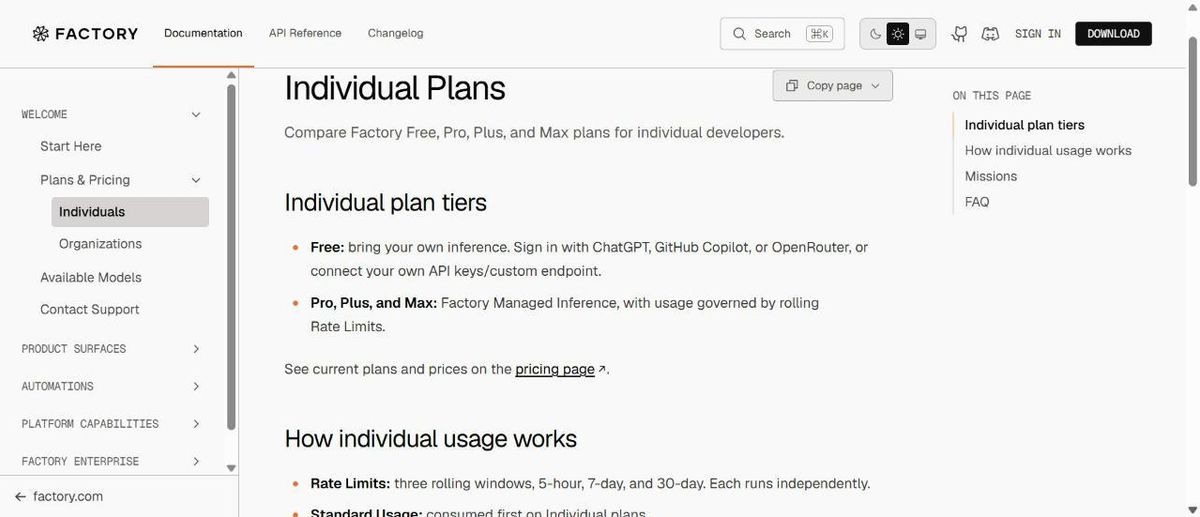
For agent-heavy teams, that turns capacity into a scheduling problem. You plan big refactors around reset times instead of around the sprint.
The usage model changed twice in nine months
The rate limits are the third usage model on the Pro plan since October 2025. Pro at $20 first included 20M Standard Tokens shared across all models, then 10M tokens plus 10M bonus tokens from March 2026, and then rolling rate limits from June.
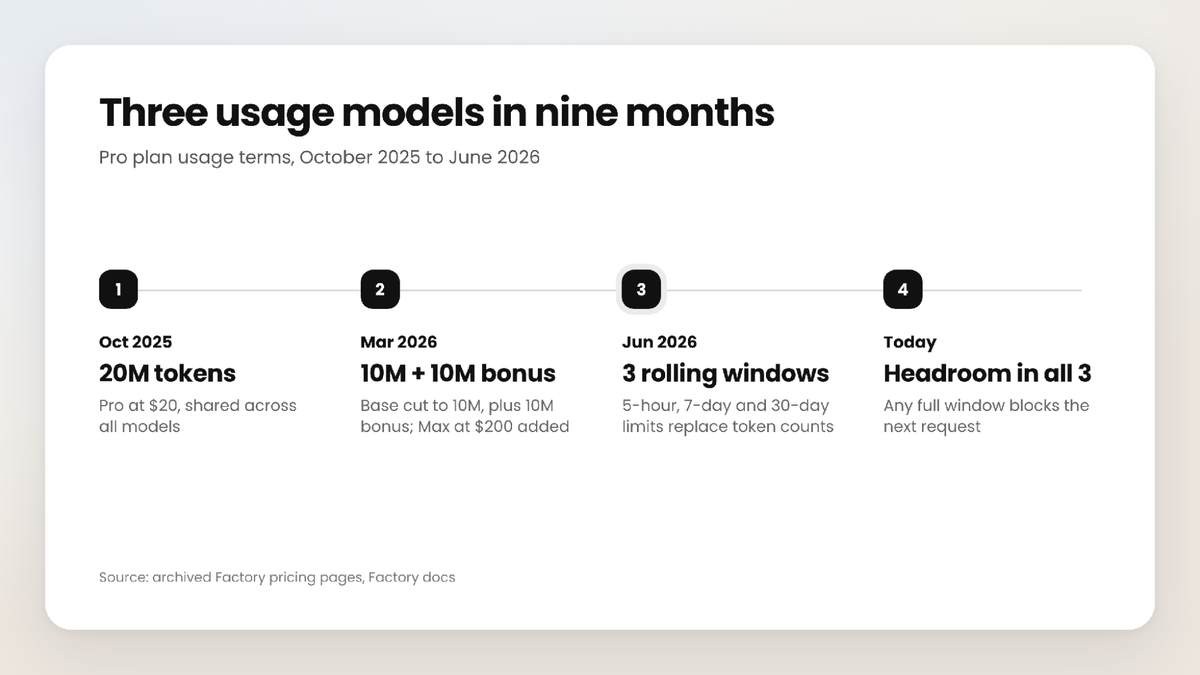
Each change reset what a team was paying for. On the Hacker News thread for Factory's Series B, one commenter predicted this early: "There's no flat pricing model that can sustain what developers try to throw at it."
The fallback at the limit is a smaller model
When Standard Usage runs out, Factory offers two ways to keep working. You can switch to Droid Core, a free pool of open-weight models such as GLM, MiniMax and Kimi with its own rate limit, or buy Extra Usage, prepaid credit with a $10 minimum.
So at the limit you choose between a model downgrade in the middle of a task and a variable bill. Missions make this sharper: they need Extra Usage turned on, and they pause when they hit a rate limit.
Users report fast burn plus heavy CPU load
Threads on r/FactoryAi surface the same complaints again and again, summarised in this Droid 1.0 review:
- Quota opacity: One user burned through a Max plan in about four hours on runs that did not hit the prompt cache.
- CLI load: One report measured about 101% idle CPU for the Droid CLI, against roughly 6% for Claude Code running with MCP servers.
- Review burden: Autonomous output still has to be read, so a fast agent can push more review work onto senior engineers.
Team controls start at a sales call
Self-serve Teams costs $60 a month plus $40 per seat, with a cap of 10 seats. SSO, SAML and SCIM provisioning, zero data retention and audit logs all sit on the quote-only Business plan.
An 11-person team, or any team that needs SSO, is in a sales conversation before the first Droid runs.
What to check in a Factory replacement
Each complaint above maps to a question you can put to any vendor. Use these five when you shortlist:
- What happens at the limit: Does work pause, drop to a weaker model, bill at API rates or carry on? This decides whether overnight jobs finish.
- Which model runs each step: Per-step routing keeps cheap steps cheap, while a single model or a fallback pool trades cost against quality.
- Where background work runs: An isolated sandbox per job keeps parallel tasks from colliding with each other or your branch.
- How changes reach main: Look for visible diffs, approval before side effects and checks that run before a pull request opens.
- Whether your setup moves over: Your AGENTS.md, skills and MCP server configs should carry across with light edits.
Best Factory AI alternatives compared
The six tools below cover the main reasons teams leave Factory: limits, cost, control and deployment. Prices are list prices from each vendor's pricing page in November 2026, before taxes.
| Tool | Best for | Starts at | Team pricing | How usage is metered | Where agents run |
|---|---|---|---|---|---|
| ML.ai | Teams whose agents run for hours a day | $99/month (first 30 days free) | Via sales (SSO, admin console, VPC) | No token meter, no hourly limit | Isolated sandbox per job |
| Devin | One vendor for cloud agent plus editor | Free | $80/month + $40 per seat, up to 100 users | Quota refreshes daily and weekly | Devin Cloud or your machine |
| Augment Code | Large codebases on Harness | $20/month | $100/month flat, up to 50 seats | Dollar usage, LLM spend at list price + 40% | Cloud agents, CLI |
| Amp | Event-triggered agents in cloud sandboxes | Free (BYOK) | No extra charge for the workspace | Orb minutes plus credits or your own subscription | Orbs or self-hosted runners |
| OpenHands | Self-hosted, open-source agents | Free (MIT) | $500/month for 10 users + $50 per seat | You pay your model provider; Teams capped at 5,000 sessions/month | Your laptop, VM or cluster |
| Warp | Building your own software factory | Free | $50 per user, up to 25 seats | Dollar usage at API rates | Warp cloud or self-hosted workers |
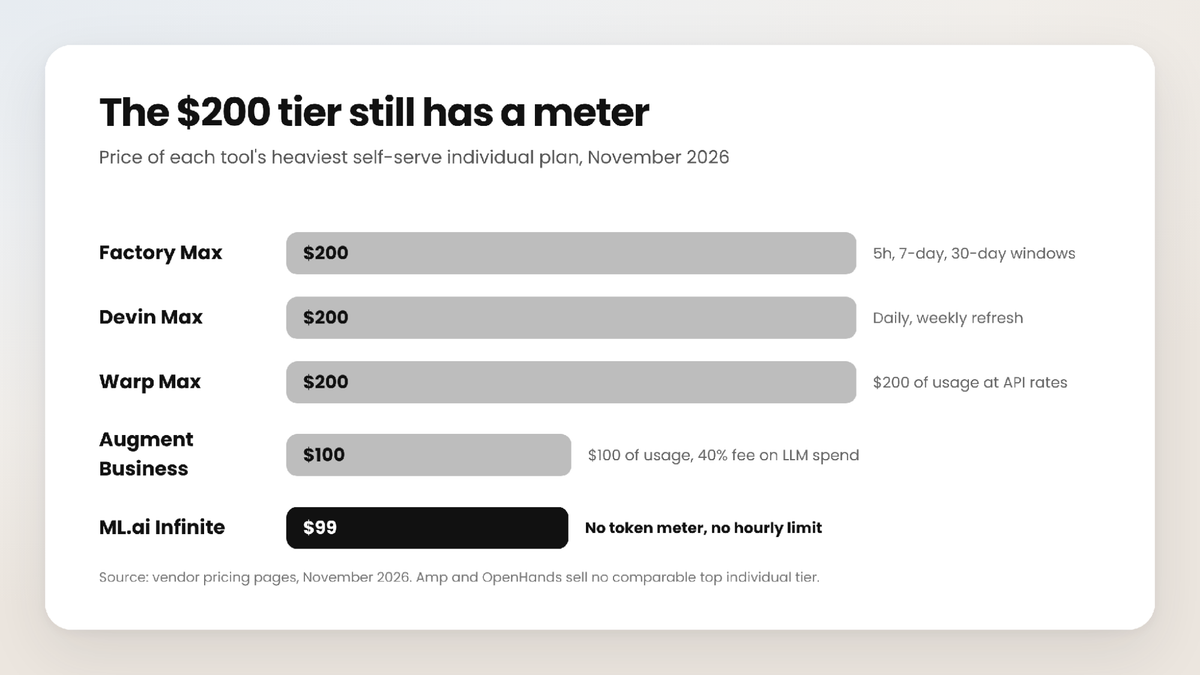
One pattern shows up when you line up the heaviest self-serve plan each vendor sells to an individual. Three of the seven tools here, Factory, Devin and Warp, price that plan at exactly $200 a month, and all three still meter it. The only plan in the set with no meter at all costs $99.
1. ML.ai
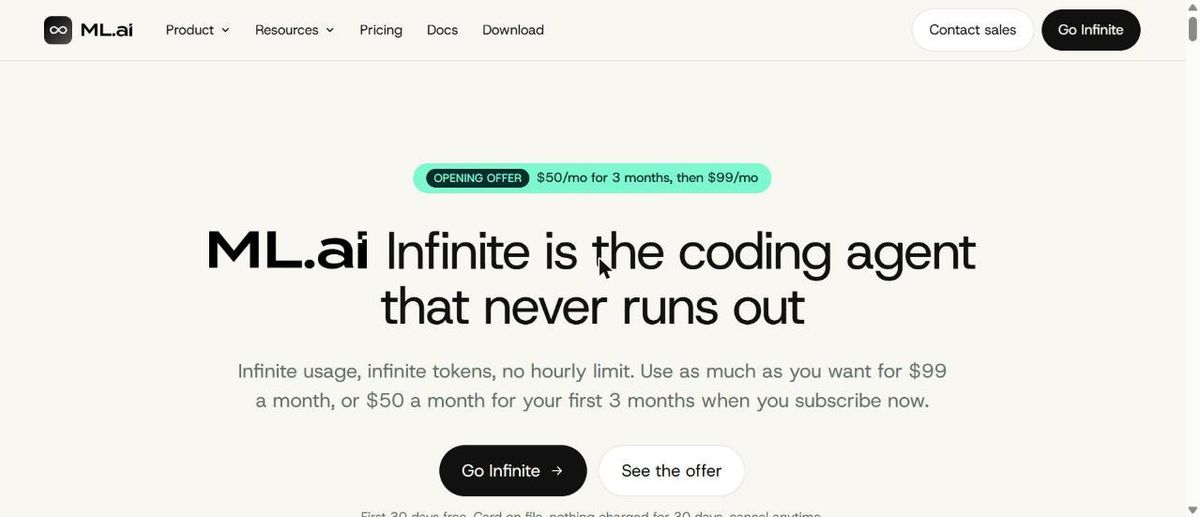
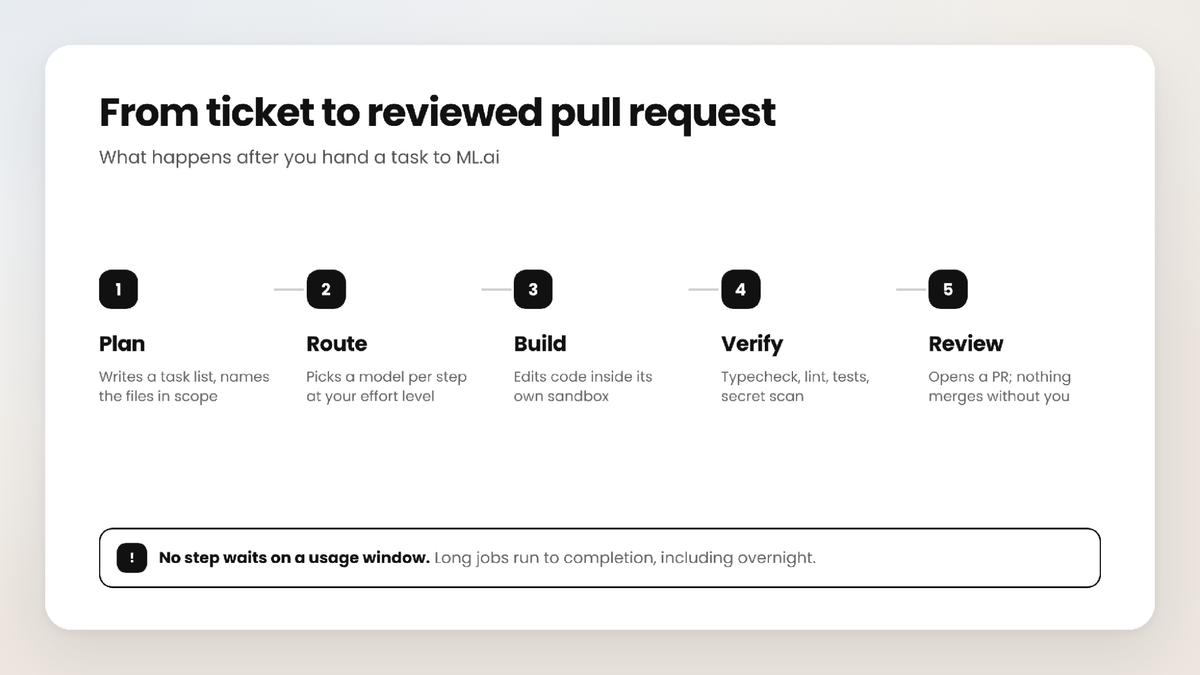
ML.ai is a coding agent that takes a task, such as an issue or a bug report, plans the work, edits code in a sandbox, runs your tests and opens a pull request for you to review. Nothing merges without your approval.
It is the strongest Factory replacement for teams whose main complaint is rate limits. Factory gates each request on three windows. ML.ai's Infinite plan has no token meter and no hourly limit, so a Missions-sized job can run overnight and still be there in the morning.
How ML.ai keeps quality high on fewer tokens
ML.ai routes each step of a task to the model that fits that step. Exploring a repo, writing a test and planning a refactor can each go to a different model, so cheap steps stay cheap and hard steps still get the strongest model.
You set effort to low, medium or high, and ML.ai picks the models. Compare that with Droid Core: Factory drops you to smaller models when your quota runs out, while ML.ai chooses the model per step from the start, with no quota to run out of.
Controls that keep autonomous output reviewable
Factory users name review burden as a real cost. ML.ai is built so every change arrives in a form you can check quickly:
- Plan mode with editing switched off: In Plan, the edit and write tools are disabled, so you approve a written plan before any code changes.
- Allow, Always or Deny: Every edit and shell command asks first, with the native diff open before you answer. A command safety check adds extra scrutiny before shell commands run.
- Declared scope: ML.ai writes a task list, names the files it expects to touch and asks before editing anything outside that scope.
- Focused subagents: Type @ to hand off work. @explore searches and explains, @architect designs the order of work, and only @general can change code.
- Checks before the PR: Typecheck, lint, unit tests, a load test and a dependency and secret scan run before a diff reaches you.
Fits the setup your team already has
ML.ai runs as a desktop app for macOS and Windows, an extension for VS Code and compatible editors such as Cursor, and a CLI for macOS, Linux and Windows. Its /init command sets up an AGENTS.md file, the same file Droid reads, so your project rules carry over.
Type / for packaged skills, connect your own tools over the Model Context Protocol (MCP), the open standard for plugging tools into agents, and let project memory carry conventions across sessions. Founder Shantanu Das of Infrasity describes it as "like an extra engineer on the team, helping us ship our product faster."
On security, ML.ai lists SOC 2, ISO 27001 and FedRAMP High, enforces zero data retention with model providers, runs each session in its own VM and never trains on your code. Its November 2026 self-reported runs show 95.0% on SWE-bench Verified and 65.2% on Terminal-Bench 2.0.
ML.ai pricing
- Infinite ($99/month): Unlimited tokens, no hourly limit and no monthly allowance, with the full agent, sandboxed jobs and verified PRs.
- Opening offer: $50 a month for your first three months when you subscribe now.
- Free month: The first 30 days are free with a card on file, and you can cancel anytime.
- Teams and enterprise: SSO, an admin console, centralized billing and VPC deployment through a sales call.
Fair use rules out reselling access, sharing one account across people and automated abuse. Teams running their own model traffic can also look at ML.ai Inference, a routing layer sized to usage.
Best for: engineering teams that run agents for hours a day and want a flat bill with no reset clock. Start your free month of ML.ai on a real ticket.
2. Devin
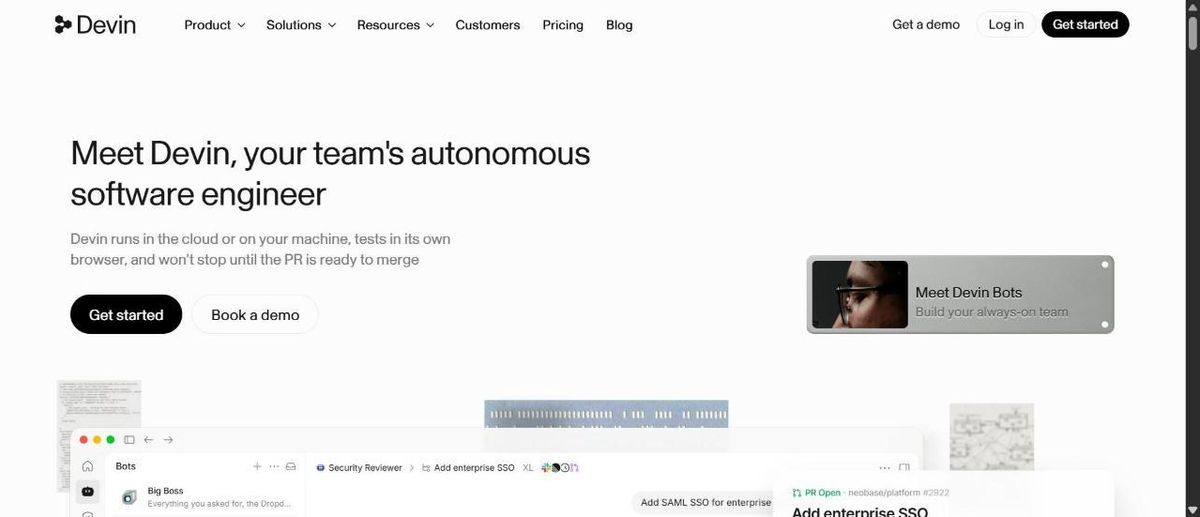
Devin is Cognition's autonomous software engineer. It runs in the cloud or on your machine, tests in its own browser and keeps working until the pull request is ready to merge. Cognition raised $2 billion at a $48 billion valuation in September 2026.
Where Devin beats Droids
- Larger self-serve teams: Teams costs $80 a month plus $40 per full developer seat and supports up to 100 users, ten times Factory's self-serve cap.
- Editor included: Devin Desktop, with Tab completion and inline edits, is listed on every tier, so you get an editor and a cloud agent from one vendor.
- SSO without a quote: SAML and OIDC SSO, cost controls and multiplayer sessions come with Teams.
Where Devin falls short for heavy users
Paid plans run on a usage allowance that refreshes daily and weekly, and extra usage bills at API pricing. That is the same reset-window pattern that pushes teams off Factory, so check your heaviest week against it.
Best for: teams of 11 to 100 engineers that want a cloud agent plus an editor without a sales call.
3. Augment Code
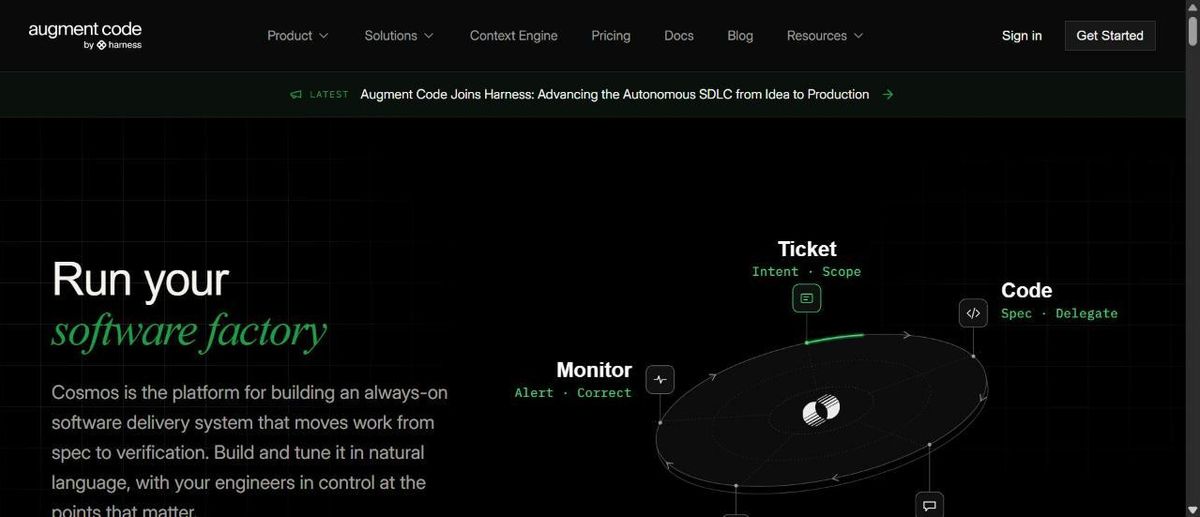
Augment Code built its name on the Context Engine, its system for understanding large codebases. It now sells Cosmos, a platform for running an always-on software delivery system, and it is joining Harness, the CI/CD company.
Where Augment beats Droids
- Pooled team usage: Standard ($20) and Business ($100) are flat monthly prices that include the same amount in usage, pooled across a team of up to 50 seats.
- Code review on every plan: AI code review is included from Standard up.
- Enterprise compliance: Enterprise adds CMEK, ISO 42001 and SSO, OIDC and SCIM, with SOC 2 Type II on all plans.
Where Augment falls short for heavy users
LLM usage bills at the provider's list price plus a flat 40% service fee, so every $100 of model spend costs $140. The Harness deal also ties the roadmap to a wider DevOps platform.
Best for: large-codebase organizations already running delivery on Harness.
4. Amp
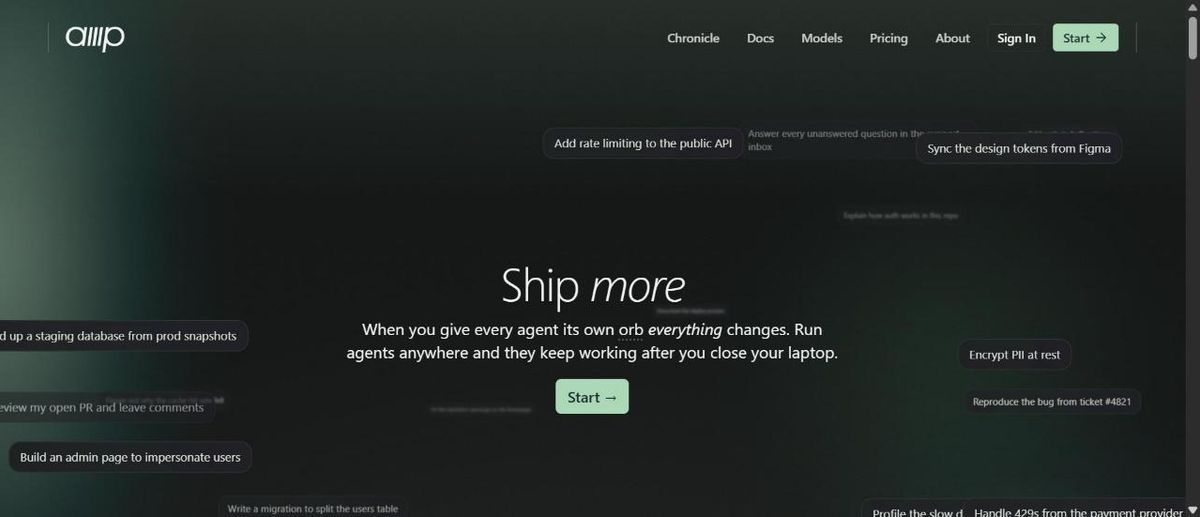
Amp is a coding agent and development environment that gives every thread its own orb, a cloud sandbox with your code, plugins and tools. Agents keep working after you close your laptop, and you can steer them from the web or your phone.
Where Amp beats Droids
- Agents that wake themselves: Orbs can start on outside events, such as a new Linear issue or a failing CI run, or on a schedule.
- Runners anywhere: Run amp --no-tui on servers or CI runners and steer those agents remotely, much like Droid Computers.
- Bring your own subscription: Link a ChatGPT or Claude subscription instead of buying Amp credits for those models. The Individual plan ($20) includes 45,000 orb minutes.
Where Amp falls short for heavy users
Cost now runs on several meters at once: orb minutes, Amp credits and your own model subscription. SSO also needs at least one paid member, and SCIM and audit logs sit on Enterprise.
Best for: teams that used Droids mainly for background and event-driven work.
5. OpenHands
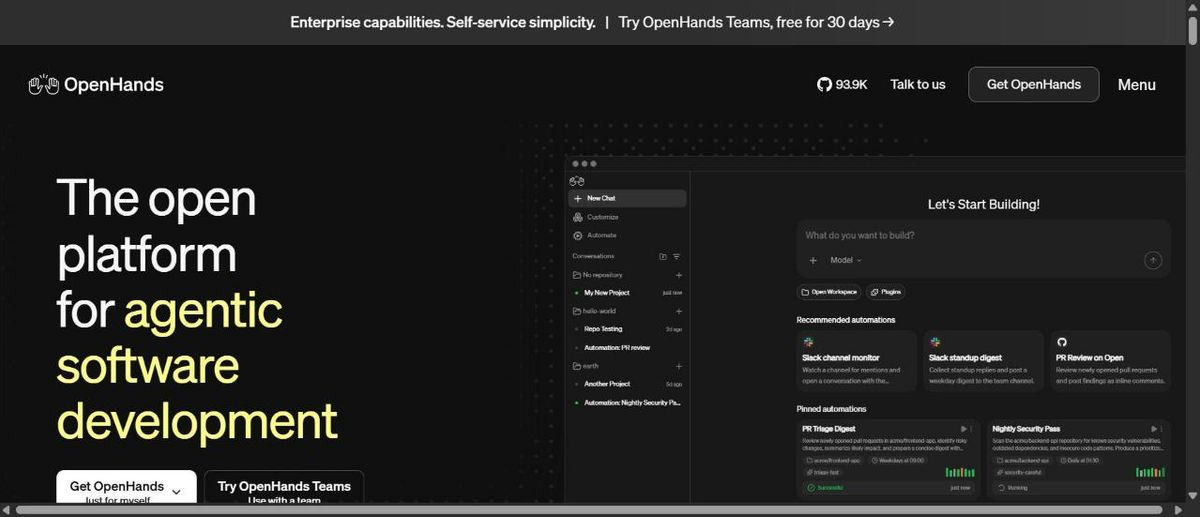
OpenHands is an open platform for agentic software development, MIT-licensed and showing 93.9K GitHub stars on its site. You can run it on a laptop, a shared VM or your own cluster.
Where OpenHands beats Droids
- Free core: The open-source edition costs nothing beyond the inference you buy, with BYOK, automations and third-party agents such as Claude and Codex.
- Self-hosted Teams: Teams costs $500 a month for 10 users plus $50 per extra seat, and adds RBAC, SSO and SAML and budgeting controls. Factory keeps on-premise deployment for Enterprise.
- Easy trial: Teams comes with a 30-day free trial.
Where OpenHands falls short for heavy users
You run the platform yourself, and every token bills at your provider's rate with no routing to keep cheap steps cheap. Teams also caps usage at 5,000 sessions a month.
Best for: regulated teams that need agents inside their own network.
6. Warp
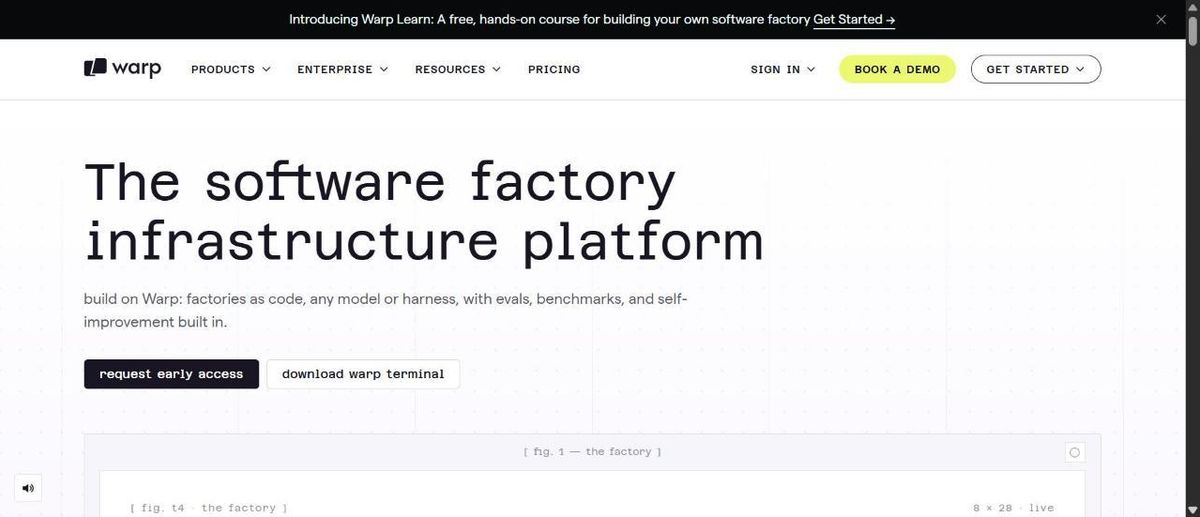
Warp started as a terminal and now calls itself the software factory infrastructure platform. Its Factories product lets you define agent fleets as code, run any model or harness, including Claude Code and Codex, and track evals and benchmarks.
Where Warp beats Droids
- Harness choice: Pick the agent harness per task instead of committing to one vendor's harness.
- Factory as code: Factory definitions live in your GitHub on the Build plan, so they go through review like any other code.
- Larger self-serve teams: Business costs $50 per user with up to 25 seats, SAML SSO and BYOK.
Where Warp falls short for heavy users
Usage is metered in dollars at API rates, and pay-as-you-go Factories bill 20% above API rates. Factories is also new, with early access requests still on the homepage.
Best for: platform teams that want to build their own Droid-style factory.
How do you choose the right Factory AI alternative?
Limits drive switching as often as quality does. One Hacker News user moved from Claude to Codex because they kept "blowing through my Claude limits," and engineers at Every have run Claude Code and Codex side by side on two machines to see which ships faster.
That side-by-side habit is the right method. Score each option on merged pull requests per week, review comments per pull request and how often work stopped at a limit.
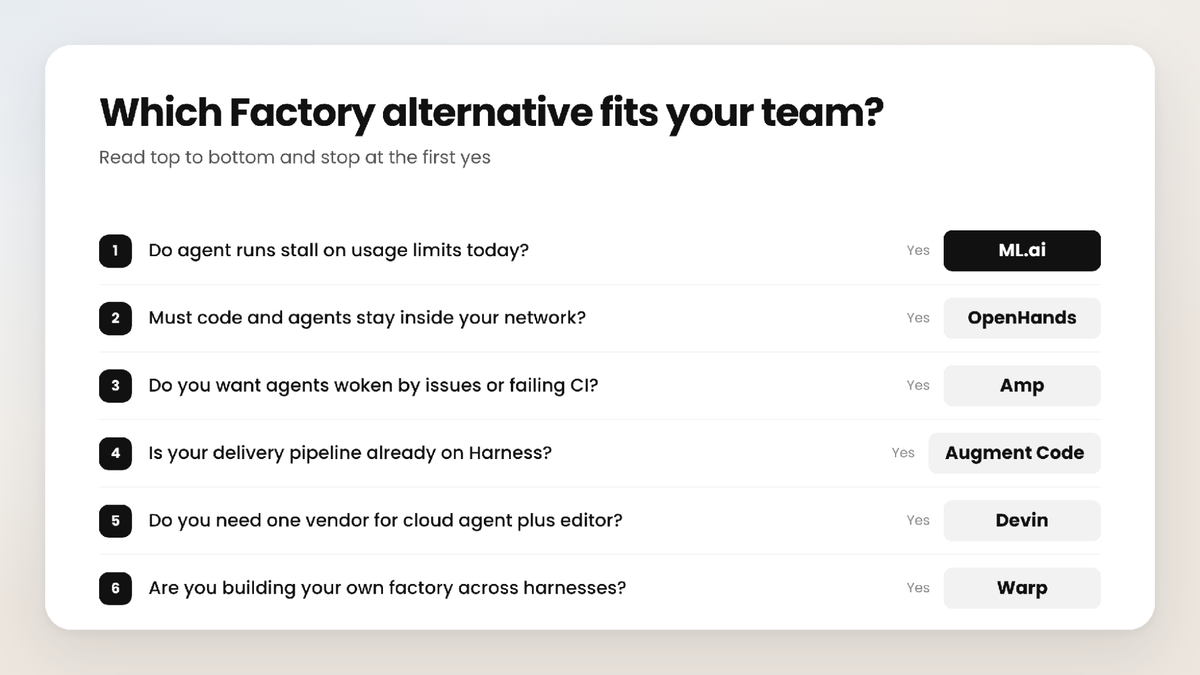
If you need a broader view of the category, see our GitHub Copilot alternatives guide.
How do you move your Droid setup to a new agent?
Plan the switch as a one-week bake-off on real tickets. Factory keeps most of its configuration in plain files, which makes the move simpler than it looks:
- Keep AGENTS.md as it is. Droid reads it at the repo root on every session, and most agents read the same file. In ML.ai, run /init to pick it up.
- Copy your skills. Each skill under .factory/skills/ is a folder with a SKILL.md file, which moves to the new tool's skills location with small edits.
- Rewrite custom droids. Files in .factory/droids/ set a model, tools and autonomy level. Recreate each as a subagent or saved prompt, and note which model it pinned.
- Move MCP servers. Copy entries from .factory/mcp.json, then redo each OAuth sign-in one by one.
- Replace droid exec jobs. List every CI workflow and hook that calls droid exec, and point each at the new tool's CLI.
- Run ten real tickets on two tools. Mix bug fixes, a refactor and a test-coverage task, and track merged PRs, review comments, limit stops and spend.
- Cancel at the end of the billing period. Skip buying Extra Usage during the trial. Purchased credit does not expire, so any balance stays on your account.
Picking a Factory AI alternative that keeps agents running
Factory's harness is strong, and its growth shows it. Its rolling rate limits, smaller-model fallback and seat cap push the same cost onto heavy users: agents that stop when a window fills.
If your engineers run agents for hours a day, ML.ai is built for that pattern. It routes each step to the right model, keeps every change behind a reviewed diff and has no token meter on the Infinite plan. Start your free month of ML.ai, or book a call to plan a team rollout.
FAQs
Is Factory AI the same as the manufacturing AI tools with similar names?
No. In this guide, Factory AI means Factory, the company behind the Droid coding agents, now at factory.com. Several manufacturing and workflow-automation products use similar names, so check that a comparison you read covers coding agents.
How much does Factory AI cost?
Factory has a free bring-your-own-inference plan, Pro at $20 a month, Plus at $100 (about 5x Pro usage) and Max at $200 (about 10x). Teams costs $60 a month plus $40 per seat for up to 10 seats, and Business and Enterprise are quote-only.
What happens when you hit a Factory rate limit?
The request in progress finishes, and later requests return a rate-limit error. You can run /limits to switch to Droid Core or turn on Extra Usage, or wait for the window to reset.
Is Factory better than Claude Code?
Factory works across several model providers and offers cloud background agents, while Claude Code runs Anthropic models and is included in Claude Pro at $20 a month. Factory's own Droid 1.0 tests report 26% less time and 17% fewer tokens per passed task than Claude Code on the same model, though those are vendor numbers.
Which Factory AI alternative has no usage limits?
ML.ai's Infinite plan has no token meter, no hourly limit and no monthly allowance for $99 a month, under a fair-use policy. The other tools in this guide meter usage through quotas, dollar allowances, orb minutes or your own model bill.
What is the best free Factory AI alternative?
OpenHands is free and open source if you self-host and bring your own model keys. Amp's Hobby plan is free with your own keys, and ML.ai's first 30 days are free.
Can I reuse my Factory AGENTS.md in another tool?
Yes. AGENTS.md is plain markdown read by most coding agents, including ML.ai through its /init command. Skills, custom droids and MCP configs move across with small edits.