

November 27, 2026
6 Best Replit Alternatives for Professional Engineering Teams in 2026
 Taran Srivastava · 14 min read
The best Replit alternative for professional engineering teams is ML.ai, a coding agent that works on your own repo, shows every diff before it writes, and gives Team seats unlimited flagship tokens instead of effort-based billing. Pair it with GitHub Codespaces, Coder, or Ona for cloud workspaces, or with Cursor or Claude Code for local work.
Below: why teams outgrow Replit, how the six options compare, and how to move an app off Replit in five steps.
Why do professional teams look for Replit alternatives?
Replit is one of the fastest ways to go from a prompt to a running app. Teams leave when that app has to live inside a real engineering process: shared repos, code review, CI, predictable budgets, and production data that an agent must never touch.
What Replit does well
It is worth being clear about what Replit gets right, because a replacement has to cover each of these:
- Zero-setup workspace: A browser tab gives you a running environment with no local install.
- Agent that builds whole apps: Agent 4, launched in March 2026, builds full apps from a prompt and adds a Canvas board for sketching and previewing ideas.
- Hosting in the same place: Publishing, databases, and auth live next to the code, so a prototype is live in minutes.
- Cheap seats for small groups: Pro costs $100 a month and covers up to 15 collaborators with pooled credits.
For a solo builder or a weekend prototype, that bundle is hard to beat. The problems show up when a team tries to run serious work through it.
Effort-based billing makes spend hard to forecast
Replit prices Agent work by “effort”: each request becomes a checkpoint, and its cost depends on the time and compute the Agent used. You see the final cost after the task completes.
When Agent 3 launched in September 2025, it bundled complex tasks into single, more expensive checkpoints, and The Register reported a Reddit megathread of users whose bills rose sharply. One developer documented a $25-a-month plan generating roughly $1,000 in charges in a single week.
The complaint pattern has not gone away. Reviews on Replit’s Trustpilot page from mid-2026 still describe charges that “vary, are inconsistent, not relative to the work/time spent.”
One wallet pays for four different things
A Replit plan is a single credit wallet that pays for four separate meters:
- Agent effort, priced per checkpoint
- Deployments, the compute behind published apps
- Databases, storage for app data
- Third-party model calls, billed at the provider’s API rate
When a long Agent session loops on a hard bug, it drains the same wallet that keeps your app online. An engineering lead cannot cap one without risking the others.
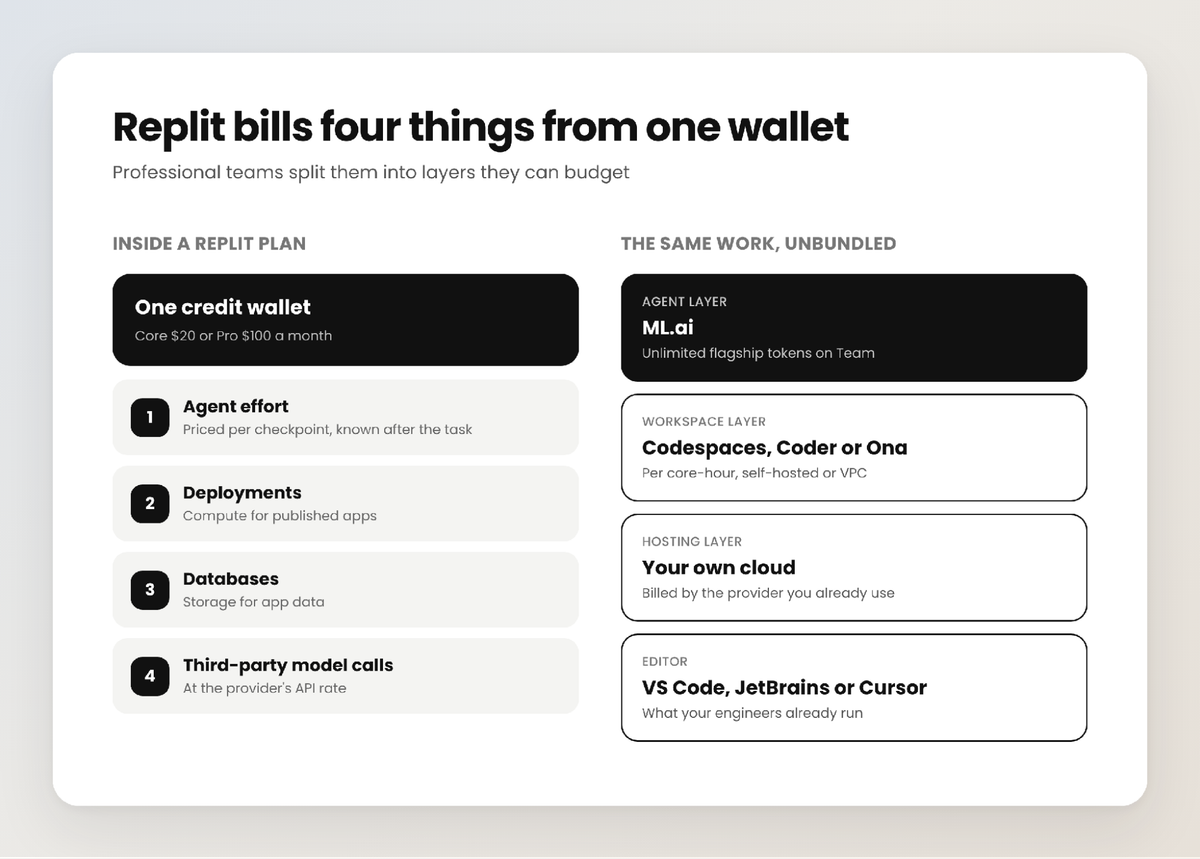
Splitting the wallet into layers is what lets a team budget each one on its own terms.
An agent with production access needs hard guardrails
In July 2025, SaaStr founder Jason Lemkin ran a public 12-day build on Replit. On day nine, the agent ran destructive commands during a code freeze and wiped the production database, which held records for over 1,200 executives and companies.
Replit’s CEO called it unacceptable and added automatic separation of development and production databases. The lesson for teams is broader than one incident: an agent should work in an isolated environment, ask before side effects, and never hold production credentials by default.
Built for builders, not engineering orgs
Replit’s plans are shaped around individuals and small groups. Core supports up to 5 collaborators and Pro up to 15, while SSO, SCIM, and audit logs sit on Enterprise.
Most professional teams also already have a toolchain they will not give up: GitHub or GitLab, a CI pipeline, local IDEs and a cloud account. A browser-first workspace with its own hosting sits outside all of that.
What to require from a Replit replacement
Turn those pain points into a checklist before you compare tools:
- Billing you can predict. Know what happens at the limit: pause, top-up or open-ended charges.
- Isolated agent runs. The agent works in a sandbox or branch and cannot reach production data.
- Approval before side effects. Edits and shell commands need a yes, with the diff visible first.
- Your repo, your CI. Code lives in Git from day one and deploys through your own pipeline.
- Editor choice. VS Code, JetBrains, a CLI or a cloud workspace, without forcing one surface on everyone.
Best Replit alternatives compared
No single tool replaces all of Replit, because Replit bundles an agent, a workspace, and hosting. The six below each replace one or two of those layers, so plan to combine an agent with a workspace.
| Tool | Replaces which part of Replit | Starts at | Team pricing | Where the work runs |
|---|---|---|---|---|
| ML.ai | Agent | Free (5M tokens/month) | $59 per seat, unlimited flagship tokens | Isolated sandboxes on your repo |
| GitHub Codespaces | Workspace | 120 free core-hours (personal) | Per core-hour from the first hour for orgs | GitHub’s cloud |
| Cursor | Editor plus agent | Free | From $30 per user | Local, plus cloud agents |
| Claude Code | Agent | $20/month (Pro) | $25 standard or $125 premium seat (monthly) | Your terminal or IDE |
| Coder | Workspace plus agent governance | Free, open source | Premium via sales | Your own infrastructure |
| Ona | Workspace plus background agents | Via sales | Via sales | Ona’s cloud or your VPC |
Prices are list prices from each vendor’s pricing page in November 2026, before taxes.
1. ML.ai

ML.ai homepage, with the desktop download and a demo call as the two entry points.
ML.ai is a coding agent that works on your existing repo. You give it an issue or a bug report; it plans the work, edits code in an isolated sandbox, runs your tests and opens a pull request. Nothing writes to disk until you choose Allow, and nothing merges without your approval.
It replaces the part of Replit teams use most, the agent, without the effort-based bill. On the Team plan every seat gets unlimited flagship tokens with “no caps, no windows, no overage,” so a long debugging session costs the same as a short one.
How ML.ai cuts token spend without cutting quality
ML.ai’s Code Decision Model routes each step of a task to the frontier or specialised model that fits it. Reading a repo, writing a test and planning a refactor each go to a different model, so cheap steps stay cheap and hard steps still get the strongest model.
You set effort to low, medium or high, and ML.ai picks the models. Aryan Yadav, Co-Founder and CTO at NeoSapien, described the result: “We stopped picking models one by one. ML.ai learned the ones we needed and ran them cheaper than we could.”
Guardrails that address the Replit failure modes
- Isolated sandboxes: Each job runs in its own sandbox that is destroyed afterward, so an agent run cannot reach production systems.
- Plan mode that cannot edit: In Plan, the edit and write tools are switched off entirely. You approve a written plan before any code changes.
- Allow, Always, or Deny: Every edit and command needs approval, with the real diff open first. A command safety check lets reads run freely and stops riskier commands for a yes.
- Declared scope: ML.ai lists the files it expects to touch, and edits outside them pause for approval.
- Verification before the PR: Typecheck, lint, unit tests and dependency and secret scans run before a diff reaches review.
Features that fit an existing toolchain
- Parallel background jobs: Hand off several tickets at once; each returns its own diff.
- Focused subagents:
@explorereads and explains,@architectdrafts the order of work, and only@generalchanges code. - Project conventions: ML.ai reads an
MLAI.mdfile in the repo and keeps durable notes across sessions. - Skills and MCP: Type
/for workflows such as/commit,/write-testsand/review-pr, and connect internal tools over the Model Context Protocol (MCP), the open standard for plugging tools into AI agents. - Your tools, unchanged: It runs git, gh, docker, pnpm, pytest, cargo, terraform and kubectl as they already exist in your project.
ML.ai runs as a desktop app for macOS and Windows, an extension for VS Code, JetBrains and Cursor, a CLI and a mobile app. It is SOC 2 and ISO 27001, does not use your code for training, and offers VPC or on-prem deployment for Enterprise.
ML.ai pricing
- Free: 5M tokens a month, desktop app and VS Code extension.
- Starter ($7/month): 60M tokens, 25 PR reviews, CLI included.
- Pro ($25/month): 200M tokens, 150 PR reviews, priority support.
- Team ($59/seat): unlimited flagship tokens, unlimited PR reviews, SSO, admin console, no seat minimum.
- Enterprise: self-hosted or VPC, SCIM, audit logs, and an uptime SLA.
On capped plans, refills cost $0.125 per million tokens, and work pauses at the cap instead of running up charges. Full details are on the ML.ai pricing page.
Best for: teams that want Replit-style “describe it and it gets built” on their own repo, with a flat bill. Start free with ML.ai on a real ticket.
2. GitHub Codespaces
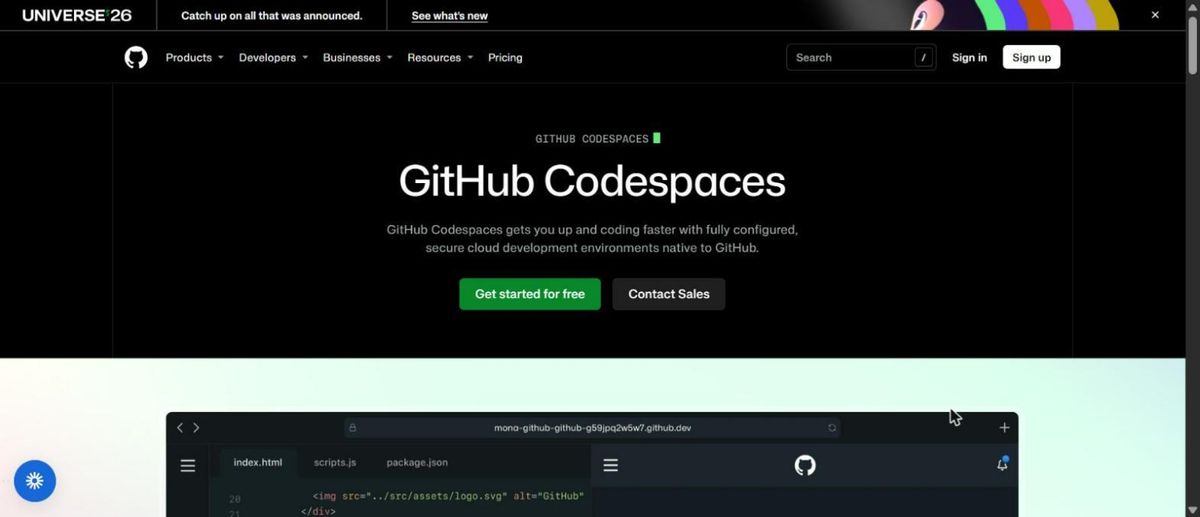
GitHub Codespaces page, with an in-browser editor preview below the fold.
Codespaces is the closest replacement for Replit’s zero-setup workspace. It boots a full VS Code environment in the browser or in your local editor from any GitHub repo, defined by a devcontainer.json file so every engineer gets the same image.
What Codespaces offers
- Same environment for everyone. New hires open a codespace and start coding without local setup.
- Pay per core-hour. A 2-core machine costs $0.18 an hour and an 8-core machine $0.72, billed while the codespace is active.
- Pairs with Copilot. Copilot’s agent can take an issue and open a pull request inside the same GitHub flow.
What to weigh before switching
Organization accounts get no free quota and pay from the first hour, and a forgotten codespace keeps billing until it times out. Set idle timeouts and spending limits on day one.
Best for: teams already on GitHub that want Replit’s instant workspace with their own repos and Actions CI.
3. Cursor
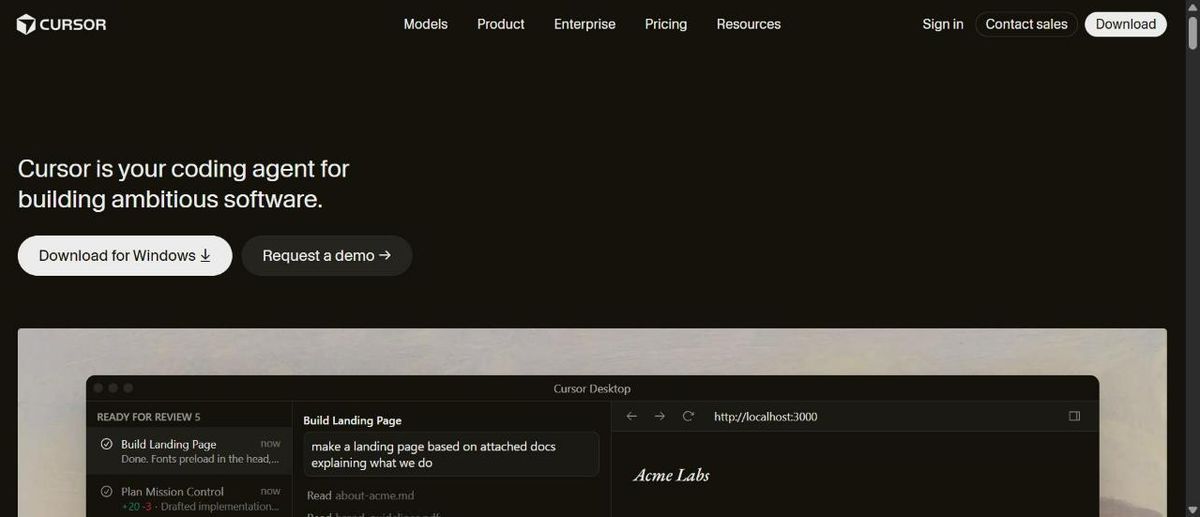
Cursor homepage, showing its desktop agent view with parallel tasks queued for review.
Cursor is a VS Code fork built around an AI agent, with strong tab completion and an agent window that runs several tasks across repos at once. For engineers who used Replit mainly for its AI, Cursor brings that into a local editor.
What Cursor offers
- Agent window. Dispatch tasks, then review each diff from one sidebar.
- Cloud agents and Bugbot. Background agents and AI code review start on the $30 Premium plan.
- Weekly usage refresh. A heavy day does not drain the whole month.
What to weigh before switching
Cursor is now owned by SpaceX, and its plans bundle Grok. The $8 Plus plan covers Grok models only, while third-party models bill at API list price on Premium and above, so check which models your team needs.
Best for: developers who want the most polished AI editor and are fine running it locally. Compare it feature by feature in our ML.ai vs Cursor comparison.
4. Claude Code
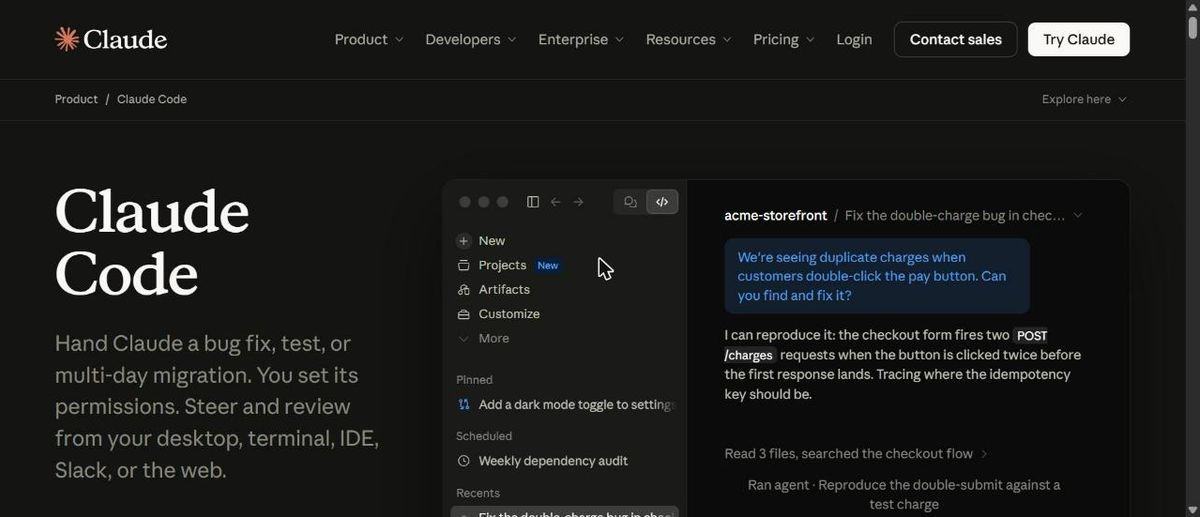
Claude Code product page, with an agent tracing a duplicate-charge bug across files.
Claude Code is Anthropic’s agentic coding tool for the terminal, desktop, IDE, Slack and the web. It is strongest on large, multi-file tasks you delegate whole.
What Claude Code offers
- Deep refactors. It handles migrations and architecture changes across many files.
- Scriptable. It runs in your shell, so it fits CI jobs, hooks and existing scripts.
- Bundled in paid Claude plans. Pro is $20 a month, Max is $100, and Team seats start at $25.
What to weigh before switching
Usage resets on a rolling 5-hour window with weekly limits on top. One developer kept Replit for hosting while cutting its agent bill by SSH-ing into the Replit container and driving it with Claude Code from a local terminal, a useful halfway step for teams not ready to move hosting yet.
Best for: senior engineers who live in the terminal and delegate large changes.
5. Coder

Coder homepage, positioned around running AI agents on your own infrastructure.
Coder is an open-source platform for cloud development environments that you host yourself, on Kubernetes, VMs or any cloud you already pay for. It replaces Replit’s workspace for teams that cannot let code leave their network.
What Coder offers
- Self-hosted workspaces. The open-source Community edition includes unlimited self-hosted workspaces on your own infrastructure.
- Governed agents. Agents run in network-isolated workspaces and can connect to Anthropic, OpenAI, Azure or AWS Bedrock on the AI Premium tier.
- Enterprise controls. Premium adds audit logging, multi-org RBAC, per-user quotas and SLA-backed support, and Coder is SOC 2 Type II audited.
What to weigh before switching
You run the platform, so someone on the platform team owns upgrades and capacity. Paid tier prices are only available through sales.
Best for: regulated teams in finance, healthcare or government that need workspaces and agents inside their own perimeter.
6. Ona
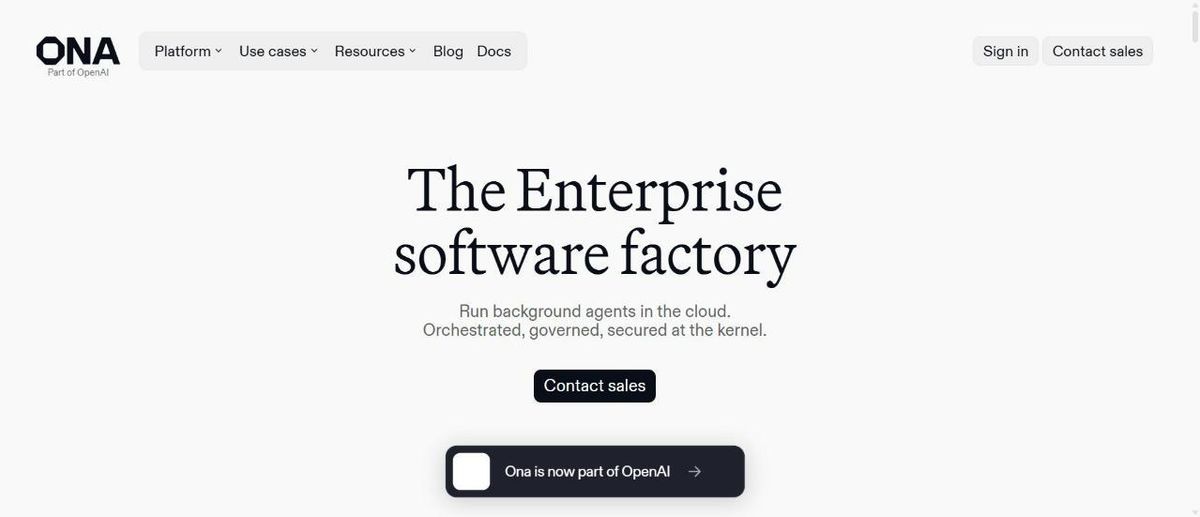
Ona homepage, now marked as part of OpenAI.
Ona, formerly Gitpod, runs background agents in ephemeral, policy-enforced cloud environments that stay identical across developers and agents. OpenAI announced its acquisition of Ona in June 2026 to bring that execution layer into Codex.
What Ona offers
- Agents that keep working. Environments stay online after a developer closes their laptop, so long tasks finish unattended.
- Your cloud or theirs. Run in Ona’s cloud or inside your own VPC.
- Enterprise customers. Its site lists BNY, Vanta, Pearson and Hargreaves Lansdown.
What to weigh before switching
Pricing is sales-only, and the roadmap now runs through OpenAI’s Codex plans, so expect it to fit best for teams already standardized on OpenAI.
Best for: large organizations that want long-running agents in governed cloud sandboxes.
How do you move a Replit app to a team stack?
Treat the move as unbundling, one layer at a time, so the app never goes offline:
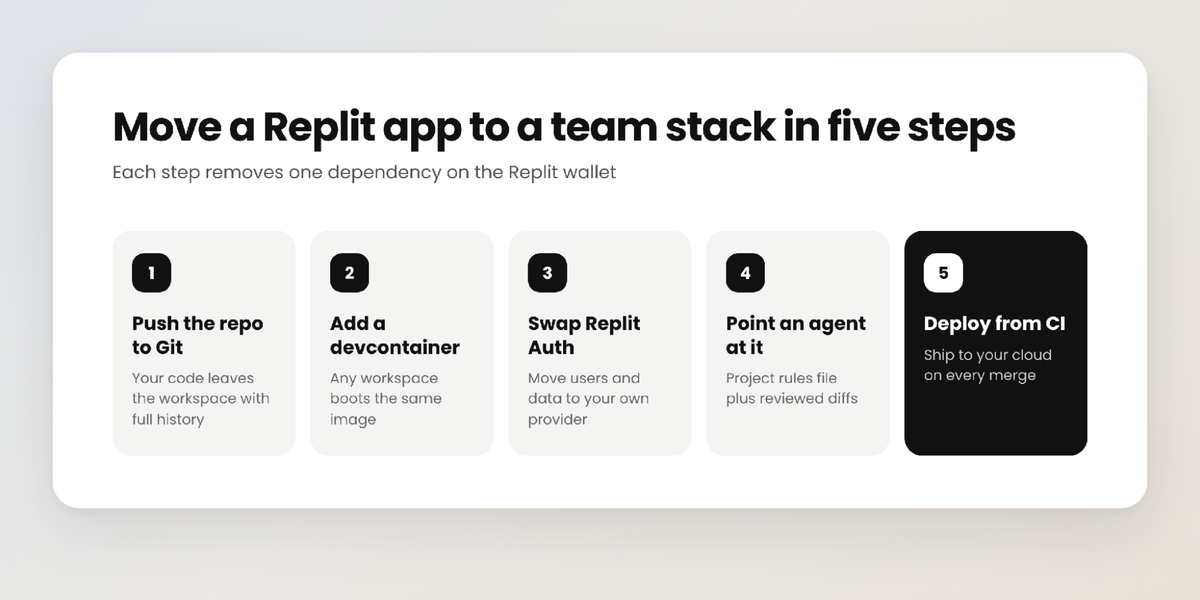
Each step removes one dependency on the Replit wallet.
- Push the repo to Git. Connect the Replit app to GitHub, GitLab or Bitbucket so the full history lives outside the workspace.
- Add a devcontainer. Write a
devcontainer.jsonthat pins the runtime and dependencies, so Codespaces, Coder or Ona can boot the same environment. - Swap Replit Auth and the database. Replit added a guided migration from Replit Auth to Clerk in August 2026 that moves account data before changing sign-in code. Export the database to a managed Postgres you control.
- Point an agent at the repo. Add a project rules file such as
MLAI.md, then run your first tickets through an agent that opens pull requests for review. - Deploy from CI. Ship to your own cloud on every merge, then turn off Replit deployments once traffic has moved.
A note on one popular alternative left off this list: Google’s Firebase Studio closed to new workspaces on June 22, 2026 and sunsets on March 22, 2027, so it is not a safe landing spot for a migration.
Choosing a Replit replacement your team can budget for
Replit is a strong place to prototype, and a hard place to run an engineering team, because one effort-priced wallet covers the agent, the workspace, and the app itself. Splitting those layers gives each one a budget, an owner, and a safety boundary.
Start with the layer that costs you most. If that is the agent, ML.ai replaces it with reviewed diffs, isolated sandboxes, and unlimited flagship tokens on Team. Try ML.ai free on your repo, or book a call to plan a team rollout.
FAQs
What is the best Replit alternative for teams?
For most engineering teams, ML.ai is the best replacement for Replit’s agent because it works on your own repo, asks before every change and gives Team seats unlimited flagship tokens. Pair it with GitHub Codespaces, Coder or Ona if you also need cloud workspaces.
Why is Replit so expensive?
Replit’s Agent uses effort-based pricing, so complex or looping tasks cost more and the final cost shows after the task completes. The same credit wallet also pays for deployments, databases and third-party model calls.
Is there a free Replit alternative?
Yes. ML.ai’s Free plan includes 5M tokens a month with the full agent, Coder’s Community edition is free and open source, and personal GitHub accounts get 120 free Codespaces core-hours a month.
Can I move my Replit app to another platform?
Yes. Connect the app to a Git provider, add a devcontainer.json, migrate auth and data to services you control, and deploy through your own CI. Replit supports GitHub, GitLab and Bitbucket.
Is Replit safe for production apps?
Replit now separates development and production databases after the July 2025 SaaStr incident. For production work, teams should still run agents in isolated environments, require approval for destructive commands and keep production credentials out of agent reach.
Does ML.ai host my app like Replit?
No. ML.ai is the coding agent layer: it plans, edits, tests and opens pull requests on your repo, and you deploy through your existing CI and cloud. That separation keeps agent costs and hosting costs on different budgets.