

November 27, 2026
6 Best Windsurf Alternatives for Engineering Teams in 2026
 Taran Srivastava · 15 min read

The best Windsurf alternative for most engineering teams in 2026 is ML.ai, a coding agent with unlimited flagship tokens on its Team plan, so agent work never stops at a quota reset. Pick Claude Code or Codex for terminal-first delegation, GitHub Copilot for issue-to-PR work inside GitHub, Cline for open-source model choice, and Cursor for a polished AI editor.
This blog covers why teams are leaving Windsurf, how the six options compare on cost and usage limits, and how to switch without losing a sprint.
Why are teams looking for Windsurf alternatives in 2026?
Windsurf sat at number one in LogRocket’s AI Dev Tool Power Rankings as recently as February 2026, largely because its agent felt aware of the whole codebase. Since then, the product has changed owners, pricing models, and names, and each change reset what a team was paying for.
What Windsurf still does well
Before listing the problems, it helps to be clear on what you would be giving up. These are the features users name when they defend Windsurf:
- Codebase-aware agent. Cascade, and now its successor Devin Local, reads across files and runs multi-step edits without step-by-step prompting.
- Unlimited Tab completion. Inline autocomplete does not touch quota on any plan, including Free.
- In-house fast models. The SWE model family gives quick, cheap answers for routine edits.
- One place for many agents. The new Agent Command Center can run local agents, Devin cloud agents and outside agents over the Agent Client Protocol (ACP), an open standard that lets third-party agents plug into one editor.
If your team mainly uses Tab and light chat, Windsurf in its new form may still fit. The pain shows up for teams that lean on agents all day.
Quota windows replaced a predictable credit pool
On March 19, 2026, Windsurf retired credits for daily and weekly quotas and raised Pro from $15 to $20 a month. Usage past the quota is billed at API pricing, so the real monthly cost now varies by model, task size, and how hard a developer pushes on a given day.
For agent-heavy teams, this creates two problems:
- Sprint days hit walls. A credit pool could be spent on one heavy release day. A daily window caps that day no matter how much monthly value is left.
- Spend is hard to forecast. One public review on Trustpilot put it: the new system makes users feel “every prompt is a financial risk”.
The jump from Pro to Max is 10x
Above the $20 Pro plan sits Max at $200 a month, with no tier in between. Teams pricing moved to an $80 base plus $40 per full developer seat, and quotas are per user rather than pooled across the team.
That leaves a gap for the developer who outgrows Pro on two or three days a week but cannot justify $200.
Ownership changed three times in a year
In July 2025, OpenAI’s planned purchase fell through, Google paid $2.4 billion to license the technology and hire the CEO, and Cognition bought what remained. On June 2, 2026, Cognition renamed the product Devin Desktop, and windsurf.com now redirects to devin.ai.
For an engineering lead, this churn is a planning risk. Pricing, roadmap, and support now run through Cognition’s broader Devin product line rather than a standalone editor team.
Cascade retirement forced a workflow rebuild
Devin Local replaced Cascade as the default agent at launch, and Cascade stayed as a fallback only until July 1, 2026. At launch, Devin Local was missing memories, saved workflows, codemaps, and conversation sharing.
The binary was also renamed to Devin.app and Devin.exe, so any MDM, endpoint-security, or allowlist rule that referenced the old Windsurf binary had to be rewritten. Platform teams felt this one directly.
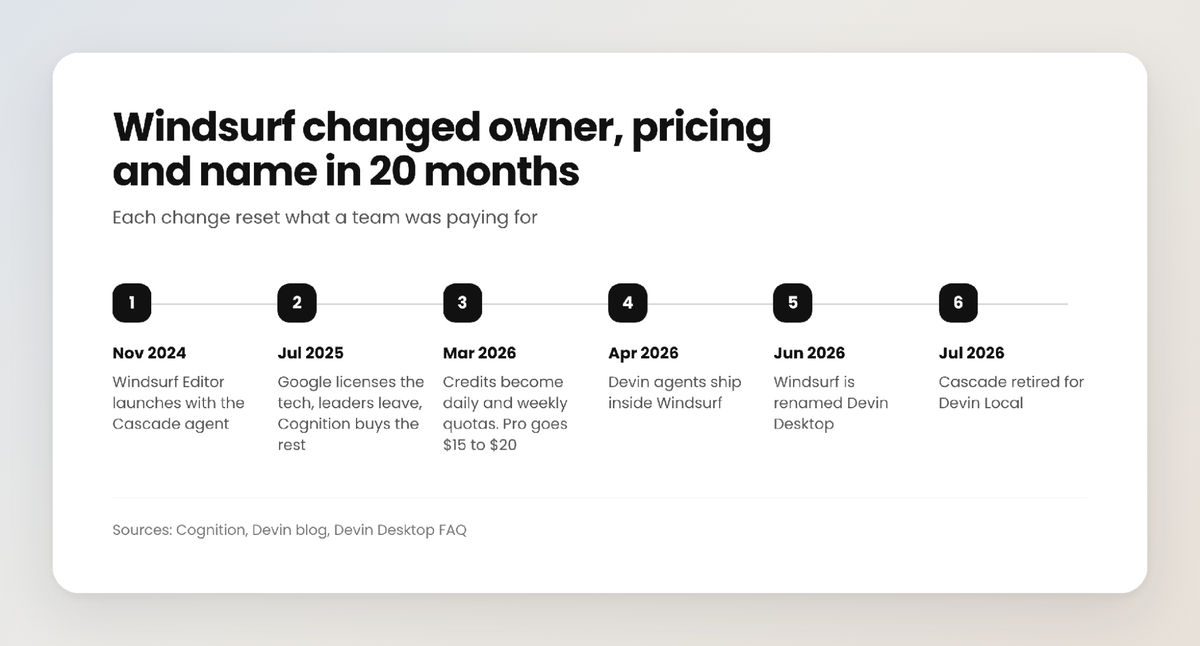
Six changes in 20 months, each of which reset plan terms, tooling or both.
What engineering teams should check in a replacement
Every one of the complaints above maps to a buying criterion. Use these five checks when you shortlist:
- How usage is metered. Rolling windows, weekly refreshes, credit pools and pay-per-token all behave differently on a heavy day. Ask what happens at the limit: does work pause, slow down or bill at API rates?
- Where the agent runs. Look for isolated sandboxes for background work, so parallel jobs cannot step on each other or your local branch.
- What it asks before acting. Edits and shell commands should need approval, with the diff visible before anything writes to disk.
- Which editors it supports. A tool tied to one forked IDE forces every engineer onto it. Extensions for VS Code and JetBrains, plus a CLI, keep people in their own setup.
- Who controls the models. Routing, model pinning and bring-your-own-key options decide whether you can tune cost per task.
Best Windsurf alternatives compared
Lay the team plans of Windsurf and these six tools side by side, and one pattern stands out. Six of the seven meter agent usage through a rolling window, a weekly refresh, a credit pool or a per-token bill. Only ML.ai’s Team plan states no caps, no windows, and no overage on flagship tokens.
| Tool | Best for | Starts at | Team plan | How agent usage is metered |
|---|---|---|---|---|
| ML.ai | Teams that want agent work to never stall on limits | Free (5M tokens/month) | $59 per seat | Unlimited flagship tokens on Team |
| Cursor | Developers who want a polished AI-first editor | Free | From $30 per user | Usage pool with weekly refresh, then top-offs |
| Claude Code | Terminal-first delegation of large tasks | $20/month (Pro) | $25 standard or $125 premium seat (monthly) | 5-hour and weekly limits |
| GitHub Copilot | Issue-to-PR work inside GitHub | Free | Via GitHub sales | Monthly AI credits ($0.01 each) |
| OpenAI Codex | ChatGPT-centric teams that want CLI plus cloud tasks | Free | $25 per user (monthly) | 5-hour and weekly limits |
| Cline | Open-source agent with your own model keys | Free (pay for inference) | Enterprise, custom | Pay per token to your provider |
Prices are list prices from each vendor’s pricing page in November 2026, before taxes.
1. ML.ai

ML.ai homepage, with Windows download and a demo call as the two entry points.
ML.ai is a coding agent that takes a task, such as an issue or bug report, plans the work, edits code in an isolated sandbox, runs your tests and opens a pull request. Nothing merges without your approval, and nothing writes to disk until you choose Allow.
It is the strongest Windsurf replacement for teams whose main complaint is quota. Windsurf meters agent usage by day and week. ML.ai’s Team plan gives every seat unlimited flagship tokens with no refill step, so a release-day refactor runs as long as it needs to.
How ML.ai keeps quality high while cutting token spend
The core of ML.ai is routing. Its Code Decision Model sends each step of a task to the frontier or specialised model that fits that step, instead of running every step on the most expensive model. Exploring a repo, writing a test and drafting an architecture plan each go to a different model.
You set effort to low, medium or high, and ML.ai picks the models. That is the mechanism behind the “same output quality, fewer tokens” result: cheap steps stay cheap, and hard steps still get the strongest model. Aryan Yadav, Co-Founder and CTO at NeoSapien, described the effect: “We stopped picking models one by one. ML.ai learned the ones we needed and ran them cheaper than we could.”
Features engineering teams use most
- Parallel background jobs: Each job runs in its own sandbox and returns a diff, so you can hand off several tickets at once and review them one by one.
- Plan mode that cannot edit: In Plan, the edit and write tools are switched off entirely. You get a written plan you can approve before any code changes.
- Permission prompts with real diffs: Every edit and command goes through Allow, Always, or Deny, with the diff open first. A command safety check classifies each shell command by effect, so reads run freely and risky commands ask.
- Declared scope: ML.ai writes a task list and names the files it expects to touch. Edits outside those files pause for approval.
- Focused subagents: Type
@to pick one:@exploresearches and explains,@architectdrafts the order of work, and@generalcarries out the change. Only@generalcan edit code. - Verification before the PR: Typecheck, lint, unit tests and dependency and secret scans run before a diff reaches you. As Sudipta Biswas at Floworks put it, “What sold us wasn’t a demo, it was the diffs.”
- Project memory: ML.ai reads an
MLAI.mdfile for your conventions and keeps durable notes across sessions, so context is not re-explained every morning. - Skills and MCP: Type
/for packaged workflows such as/commit,/write-testsand/review-pr, and connect your own tools over the Model Context Protocol (MCP).
ML.ai runs as a desktop app for macOS and Windows, an extension for VS Code, JetBrains and Cursor, a CLI and a mobile app. It reports 95.0% on SWE-bench Verified for its Coder Pro model, and lists SOC 2 and ISO 27001, with your code not used for training.
ML.ai pricing
- Free: 5M tokens a month, desktop app and VS Code extension.
- Starter ($7/month): 60M tokens, 25 PR reviews, CLI included.
- Pro ($25/month): 200M tokens, 150 PR reviews, priority support.
- Team ($59/seat): unlimited flagship tokens, unlimited PR reviews, SSO, admin console, no seat minimum.
- Enterprise: self-hosted or VPC deployment, SCIM, audit logs and an uptime SLA.
On Free, Starter and Pro, refills cost $0.125 per million tokens, and bringing your own model key is free. Annual billing saves 17%. See the full breakdown on the ML.ai pricing page.
Best for: engineering teams running agents all day who want a flat, predictable bill. To see how the agent performs on your own repo, start free with ML.ai.
2. Cursor
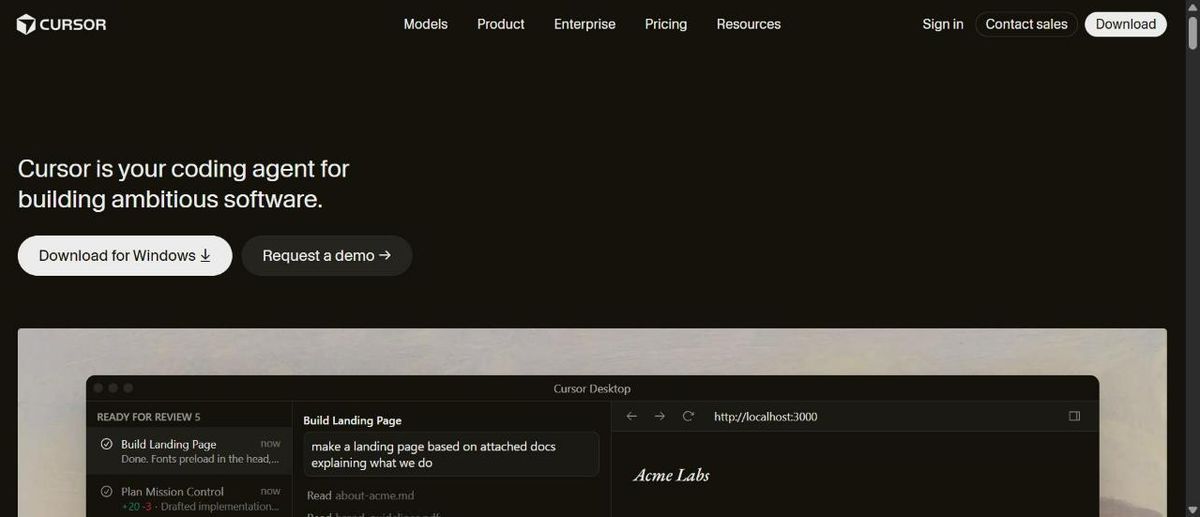
Cursor homepage, showing its desktop agent view with parallel tasks queued for review.
Cursor is a VS Code fork built around an AI agent, with some of the best tab completion in the category. It is the closest like-for-like swap for developers who loved Windsurf’s editor feel.
What Cursor offers
- Agent window. Run several agents across repos and review their diffs from one sidebar.
- Cloud agents and Bugbot. Background agents and AI code review are included from the $30 Premium plan up.
- Weekly refresh. Usage refreshes weekly, so one heavy day does not drain a whole month.
What to weigh before switching
Cursor’s ownership has also changed. SpaceX closed its $60 billion acquisition of Cursor’s parent, Anysphere, on August 15, 2026, and plans now bundle Grok. The entry Plus plan ($8) covers Grok models only, while third-party models bill at API list price on Premium and above.
Best for: individual developers and small teams that want the best editor experience and are fine with metered agent usage. For a feature-level breakdown, read our ML.ai vs Cursor comparison.
3. Claude Code
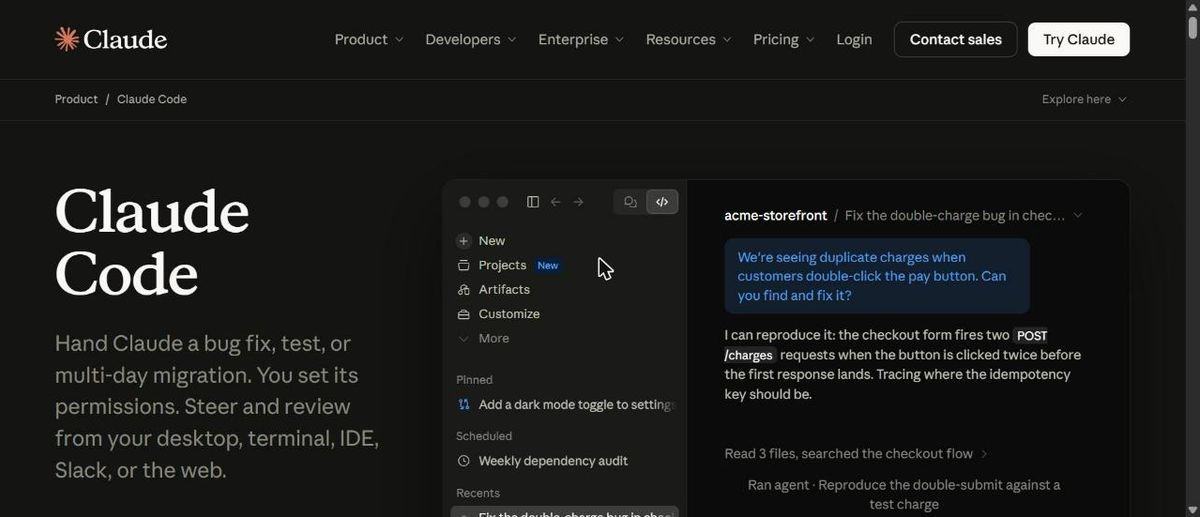
Claude Code product page, with an agent tracing a duplicate-charge bug across files.
Claude Code is Anthropic’s agentic coding tool. It runs in the terminal, the desktop app, IDE extensions, Slack, and the web, and it is strongest when you hand it a whole task rather than a line edit.
What Claude Code offers
- Deep refactors. Teams use it for multi-file migrations and architecture changes where context depth decides success.
- Scriptable agent. It runs inside your shell, so it fits CI jobs, hooks, and existing CLI workflows.
- Included in paid Claude plans. Pro is $20 a month, Max is $100 for 5x Pro usage, and Team seats start at $25.
What to weigh before switching
Every plan resets on a rolling 5-hour window with a weekly limit on top, so heavy users meet the same “wait for the reset” problem that pushed them off Windsurf. There is no tab autocomplete, so you will likely pair it with an editor.
Best for: senior engineers and platform teams who delegate large changes from the terminal.
4. GitHub Copilot
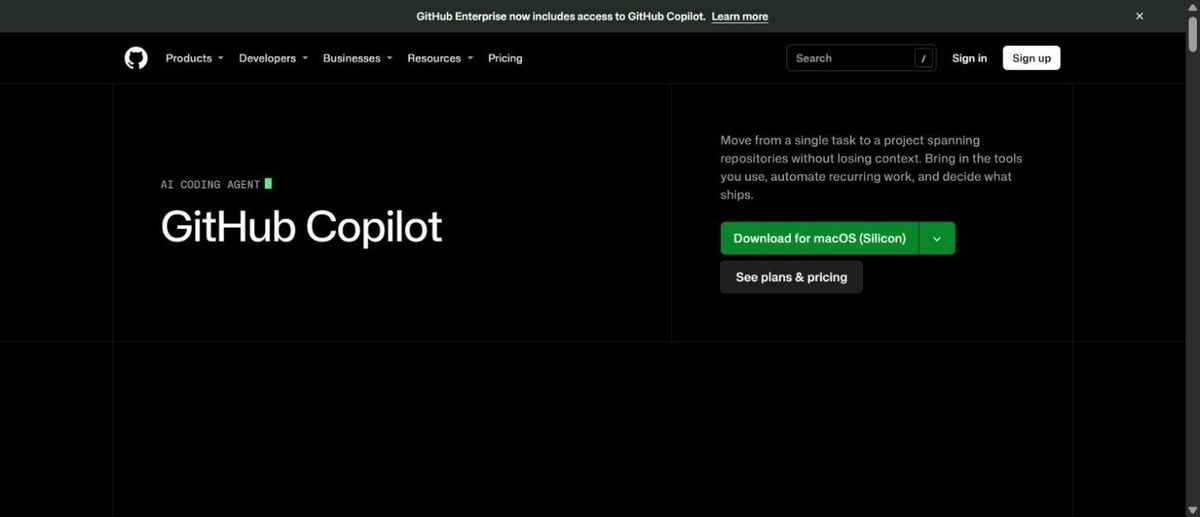
GitHub Copilot page, now positioned as an AI coding agent with its own desktop download.
GitHub Copilot is the default for teams already on GitHub, with editor support across VS Code, Visual Studio, JetBrains, Xcode, Neovim, Eclipse and Zed.
What Copilot offers
- Assign issues to Copilot. From Pro up, Copilot can take an issue and open a pull request in the cloud.
- Third-party agents. Pro+ and Max can delegate to outside agents from inside GitHub.
- Credit-based billing. Plans include AI credits at $0.01 each: $15 of usage on Pro ($10/month), $70 on Pro+ ($39) and $200 on Max ($100). Completions do not use credits.
What to weigh before switching
Usage is a monthly credit pool, so a team can run dry late in the month, the same pattern Windsurf users called the end-of-month drought. Business and Enterprise pricing is now through GitHub sales.
Best for: teams whose workflow already runs from GitHub issues to pull requests.
5. OpenAI Codex
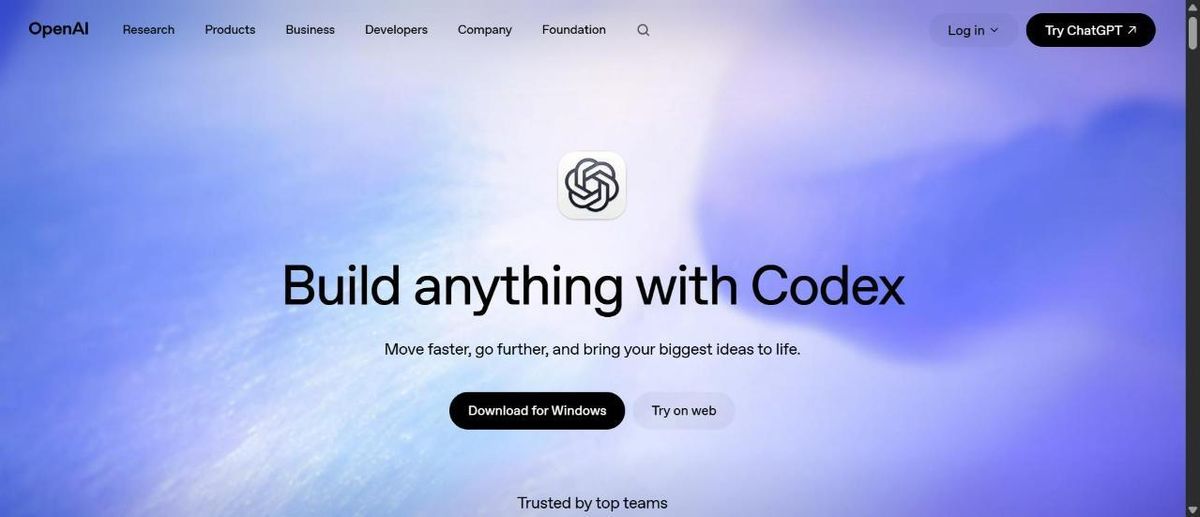
OpenAI Codex page, with Windows download and a web option.
Codex is OpenAI’s coding agent, available on the web, in a CLI, an IDE extension, a desktop app, and iOS. It is included in ChatGPT plans from the free tier up.
What Codex offers
- Local plus cloud tasks. Run quick work locally and push longer jobs to the cloud.
- Bundled with ChatGPT. Plus is $20 a month, Pro starts at $100, and Business is $25 per user billed monthly.
- API key option. Teams can run the CLI and IDE extension on API billing, without cloud features.
What to weigh before switching
Plus and Business limits are published as message ranges per 5-hour period, and cloud tasks draw down the allowance faster than local ones. That makes per-developer cost hard to predict for agent-heavy work.
Best for: teams already standardized on ChatGPT that want one subscription for chat and coding.
6. Cline
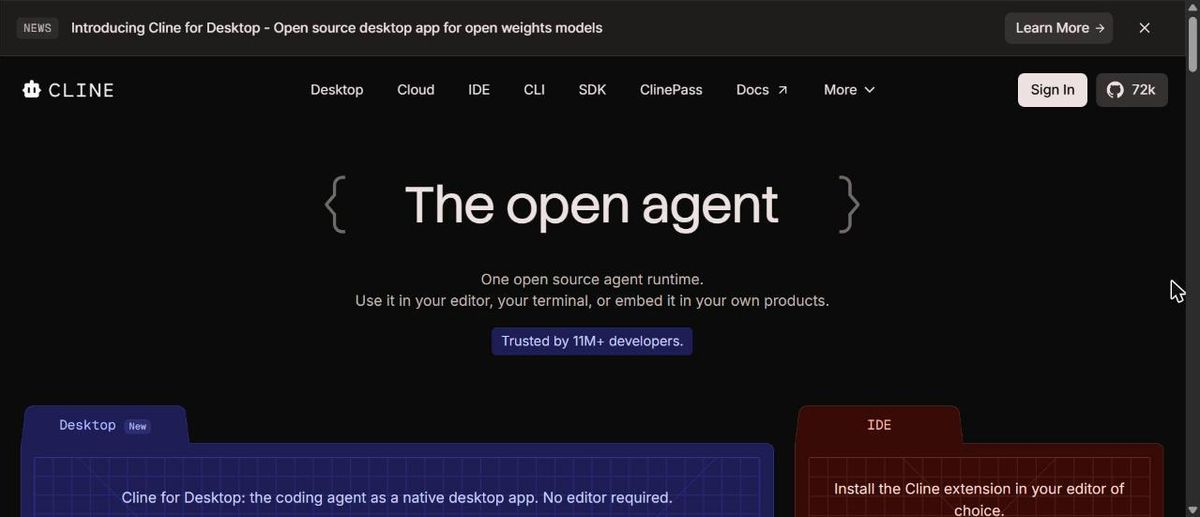
Cline homepage, with desktop, IDE, CLI and SDK as entry points.
Cline is an open-source coding agent with 72k GitHub stars. It runs in VS Code, as a CLI and as a desktop app, and you bring your own API keys from providers such as Anthropic, OpenAI, Google, AWS Bedrock or OpenRouter.
What Cline offers
- No seat fee. The open-source version costs nothing beyond the inference you buy from your provider.
- Full model choice. Swap providers per project, including self-hosted or regional endpoints.
- Enterprise controls. SSO, role-based access, audit logs and limits on which providers engineers can use.
What to weigh before switching
You pay every token at your provider’s rate, with no routing to keep cheap steps cheap. Cost tracks usage one to one, and JetBrains support sits on the Enterprise plan.
Best for: teams with strict model or data-residency rules that want full control of the stack.
How do you pick the right Windsurf alternative?
You may not need one tool for everything. A 40-person engineering team that ran Cursor, Copilot and Claude Code side by side for three months ended up letting each squad choose: Cursor for fast feature work, Claude Code for platform work and Copilot for maintenance. Their bigger lesson was that the tool that felt fastest created more review work for senior engineers.
That points to one rule: score each option on merged pull requests and review load per PR.
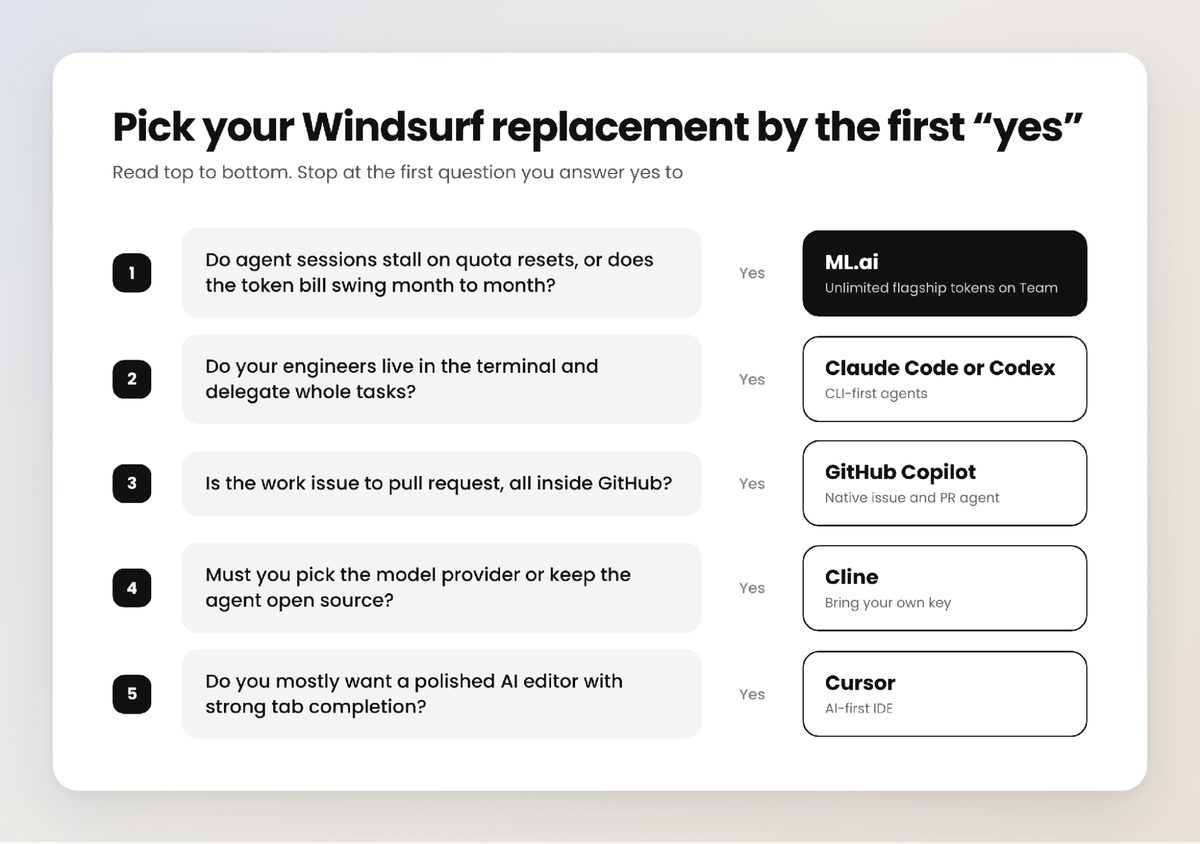
Read top to bottom and stop at the first question you answer yes to.
How do you migrate off Windsurf without losing a sprint?
A clean switch takes about two weeks. Run it as a side-by-side bake-off on real tickets:
- Export your rules first. Copy Windsurf rules and memories into a plain markdown file in the repo. ML.ai reads
MLAI.md, Claude Code readsCLAUDE.md, and Codex and Cline readAGENTS.md, so one file can be renamed for each. - Move your MCP servers. List every MCP server and its environment variables, then add them to the new tool per project. Check OAuth sign-ins one by one.
- Pick ten real tickets. Choose a mix of bug fixes, a refactor and a test-coverage task from your current backlog.
- Run each ticket on two tools. Track merged PRs, review comments per PR, test pass rate on first try and token or dollar spend.
- Update your security rules. Add the new binary, CLI and network endpoints to MDM and allowlists before rollout, not after.
- Roll out by squad. Move one team at a time and keep the old tool for two weeks as a fallback.
For step 4, ML.ai’s Free plan gives each engineer 5M tokens a month, which covers a ten-ticket trial for most repos. You can also read how teams plan token budgets for AI coding agents before rollout.
Choosing a replacement that will not stall your team
Windsurf’s switch to quotas, its move to Devin Desktop and the Cascade retirement all pushed the same cost onto teams: less predictable spend and more workflow rework. The right replacement removes that uncertainty for good.
If your engineers run agents for hours a day, ML.ai is built for that pattern. It routes each step to the right model, keeps every change behind a reviewed diff, and gives Team seats unlimited flagship tokens. Try ML.ai free on your own repo, or book a call to plan a team rollout.
FAQs
Is Windsurf still available in 2026?
Windsurf is now Devin Desktop. Cognition renamed it on June 2, 2026, and windsurf.com redirects to devin.ai. Existing settings, extensions, and plans carried over through an automatic update.
What is the best free Windsurf alternative?
ML.ai’s Free plan gives 5M tokens a month with the full agent, desktop app, and VS Code extension, no card needed. Cline is free if you already pay a model provider, since you only pay for inference.
Which Windsurf alternative has unlimited usage?
ML.ai’s Team plan includes unlimited flagship tokens for every seat, with no caps, windows, or overage. The other tools on this list meter agent usage through rolling windows, weekly refreshes, credits, or per-token billing.
Is Cursor better than Windsurf?
For editor experience and tab completion, many developers rate Cursor higher. Windsurf Pro is $20 a month, while Cursor’s plan with third-party models and cloud agents starts at $30. Cursor is now owned by SpaceX and bundles Grok, so check which models your plan includes.
Can I use my Windsurf rules in another tool?
Yes. Rules are plain text, so you can paste them into the project file each tool reads, such as MLAI.md for ML.ai or AGENTS.md for Codex and Cline. MCP server configs also move across with small edits.
Does ML.ai work with JetBrains?
Yes. ML.ai ships extensions for VS Code and JetBrains, plus a desktop app for macOS and Windows, a CLI, and support inside Cursor on Starter plans and above.